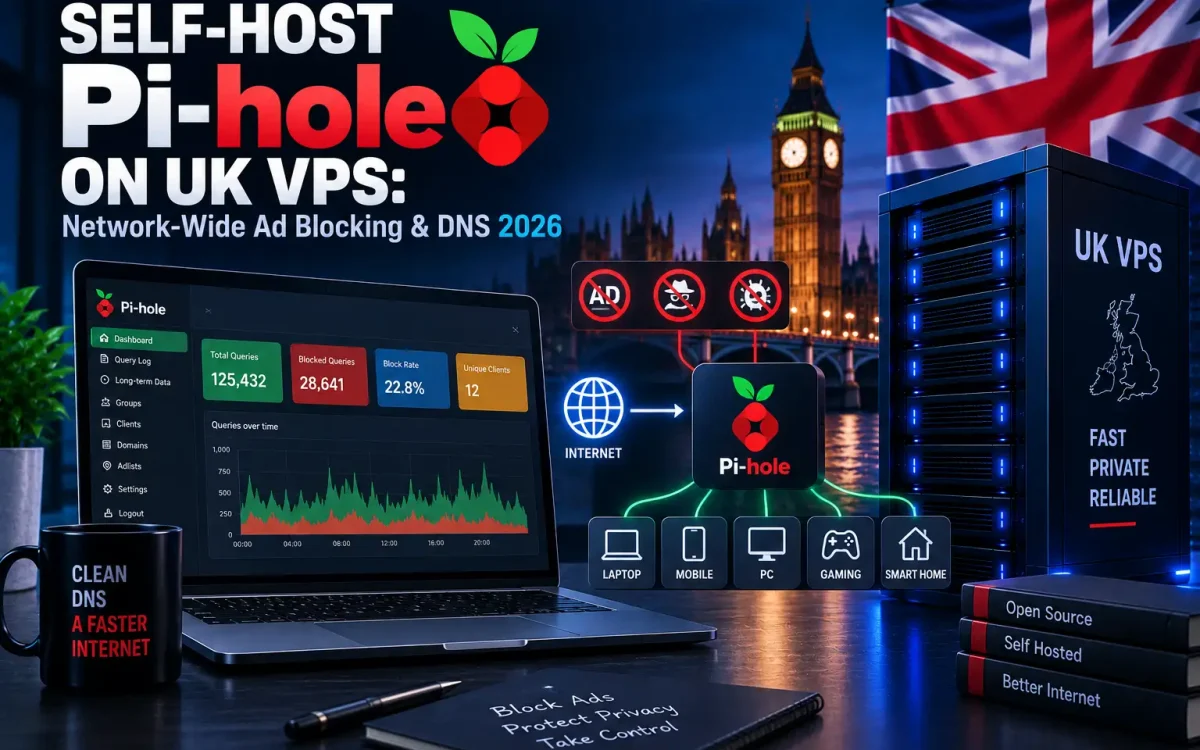
If you want one privacy filter that covers every phone, laptop and smart TV you own, the cleanest approach is to self-host Pi-hole on a UK VPS and point your devices at it. Pi-hole is a free, open-source DNS sinkhole: instead of installing a separate ad blocker on each device, you run a single DNS server that quietly refuses to resolve known ad, tracker and malware domains. The result is fast, network-wide ad blocking that works on browsers, apps and gadgets that have no extension support at all. In this guide we will cover what Pi-hole does, why a VPS makes sense, how to install it with Docker, how to reach it safely over a VPN, and how to keep it healthy in production.
What Is Pi-hole?
Pi-hole works at the Domain Name System (DNS) layer. Every time a device loads a page, it first asks a DNS server to translate a hostname such as ads.example.com into an IP address. Pi-hole sits in the middle of that conversation. When a requested domain appears on one of its blocklists, Pi-hole simply returns a null answer, so the advert, tracker or beacon never loads. Because the filtering happens before any connection is made, it applies to everything on the network, not just one browser.
It is important to be honest about the limits. A DNS sinkhole blocks whole domains, so it excels at cutting out third-party trackers, telemetry and banner ads. It cannot, however, block content served from the same domain as the thing you actually want. YouTube in-video adverts are the classic example: they come from Google’s own domains, so DNS blocking will not remove them. Pi-hole is a powerful layer, not a silver bullet.
Why Self-Host Ad Blocking on a VPS
Many people first run Pi-hole on a Raspberry Pi at home, and that works well inside the house. The moment you leave your Wi-Fi, though, the protection disappears. Running it on a VPS solves that. A VPS instance is always on, reachable from anywhere, and lets your phone keep blocking ads on mobile data and while travelling. Hosting on a UK VPS also keeps your DNS queries within the UK, which is a sensible choice if data residency and privacy matter to you or your business. A single self-hosted Pi-hole becomes one blocker for every device you own.
There is one important trade-off: a cloud instance is exposed to the wider internet, so it must be locked down. We will return to that in the security section, because it is the single most common mistake people make when they self-host Pi-hole.
What You Need to Self-Host Pi-hole
- A small UK VPS (one shared CPU and 1 GB of RAM is plenty) with a static IP address. UK Speed’s UK VPS plans are a comfortable fit for a lightweight DNS resolver.
- A modern Linux distribution such as Debian or Ubuntu, kept up to date.
- Docker and Docker Compose installed, if you prefer the container route.
- A VPN such as WireGuard or Tailscale to reach the service privately, plus a firewall.
- Basic comfort with SSH and the command line.
Pi-hole vs Browser Ad Blockers

Browser extensions and a self-hosted Pi-hole are complementary rather than competing. The table below shows where each one shines.
| Feature | Self-hosted Pi-hole | Browser ad blocker |
|---|---|---|
| Coverage | Every device on the network | Only that one browser |
| Apps & smart TVs | Yes, blocks app telemetry too | No |
| Away from home | Yes, over VPN on mobile data | Yes, but per browser |
| Element hiding on page | No, DNS level only | Yes, cosmetic filtering |
| Same-domain video ads | Cannot block | Often can |
| Setup effort | One server, then done | Per device, per browser |
In practice, many people run both: Pi-hole for whole-network hygiene and a lightweight in-browser blocker for the cosmetic tidy-up that DNS cannot do.
How to Install Pi-hole on UK VPS

The container route is the quickest way to get running and keeps upgrades tidy. Make sure Docker is installed, then run the official image. The command below binds the DNS ports and the admin web interface, sets the London timezone, and defines a strong admin password.
docker run -d
  --name pihole
  -p 53:53/tcp -p 53:53/udp
  -p 80:80
  -e TZ=Europe/London
  -e FTLCONF_webserver_api_password=<a-strong-password>
  -v ./etc-pihole:/etc/pihole
  --restart unless-stopped
  pihole/pihole:latest
Prefer Docker Compose for anything you intend to keep? A short compose.yaml pins the same settings in a file you can version-control.
services:
  pihole:
    container_name: pihole
    image: pihole/pihole:latest
    ports:
      - "53:53/tcp"
      - "53:53/udp"
      - "80:80"
    environment:
      TZ: "Europe/London"
      FTLCONF_webserver_api_password: "a-strong-password"
    volumes:
      - "./etc-pihole:/etc/pihole"
    restart: unless-stopped
Once the container is up, open the admin dashboard at http://your-vps-ip/admin and log in with the password you set. For the full range of options, deployment methods and troubleshooting, keep the official Pi-hole documentation to hand. If this is a fresh server, take a moment to harden SSH before you go any further.
How to Point Your Devices to Pi-hole
Pi-hole only filters traffic that is sent to it, so you need to tell your devices to use it as their DNS server. There are two approaches.
- Per device: set the VPS IP address as the manual DNS server in the network settings of a single phone, laptop or console. Good for testing.
- Whole network: set Pi-hole as the DNS server in your router’s DHCP settings. Every device that joins the LAN then uses it automatically, giving you true network-wide coverage.
If your network uses IPv6, remember to set the IPv6 DNS entry as well, or some traffic will quietly bypass the filter. Our guide to IPv6 and dual-stack hosting explains why that matters. Crucially, do not simply open port 53 to the whole internet so that your phone can reach it directly, which brings us to security.
Secure Pi-hole Access with a VPN

This is the rule that keeps your VPS out of trouble: never expose Pi-hole as an open public DNS resolver. An open resolver on port 53 will be found by scanners within hours and abused for DNS amplification attacks, where attackers spoof your victim’s address and use your server to flood them. The consequence is an abuse report from your provider and, often, a null-routed IP. It is not a hypothetical risk; it is a certainty.
The correct pattern is to keep DNS private and reach it through an encrypted tunnel. Install WireGuard (or Tailscale) on the VPS, connect your devices to it, and point them at Pi-hole’s private VPN address instead of its public IP. Then firewall the public interface so that port 53 accepts traffic only from the VPN subnet or a short list of your own IPs. Our walkthrough on how to self-host a mesh VPN on a UK VPS pairs perfectly with this setup.
The admin web interface deserves the same care. Never leave it open on port 80 to the world. Keep it behind the VPN, or put it behind a reverse proxy with HTTPS and authentication, and always use a strong, unique admin password.
Configure Upstream DNS and Blocklists
When a domain is not on a blocklist, Pi-hole forwards the query to an upstream DNS resolver to get the real answer. In the dashboard under Settings, choose a reputable upstream such as Cloudflare (1.1.1.1) or Quad9 (9.9.9.9). For maximum privacy you can run your own recursive resolver like unbound alongside Pi-hole, so no third party sees your full query stream.
Enable DNSSEC validation in the same settings area. DNSSEC lets Pi-hole verify that the answers it receives have not been tampered with in transit, which protects you from DNS spoofing. On the blocklist side, the default lists are a sensible starting point. Add a few well-maintained curated lists rather than dozens of aggressive ones, because over-blocking breaks legitimate sites. When something you need is caught by mistake, add it to the allowlist rather than removing an entire list.
Best Practices for Production Pi-hole
- Access control: VPN or firewall-only access to both DNS and the admin UI, with a strong password on the dashboard.
- Stay current: update the container image and blocklists regularly so filtering and security fixes stay fresh.
- Plan for redundancy: DNS is a single point of failure. If your only resolver goes down, the whole network loses the internet. Configure a second DNS server (a backup Pi-hole or a public resolver) so an outage does not take you offline.
- Monitor thoughtfully: the query log is a superb troubleshooting tool, but it is also sensitive. Review it with privacy in mind and limit who can see it.
- Explore further: a DNS filter pairs well with other services, as our roundup of the best self-hosted apps for a UK VPS shows.
Conclusion
Choosing to self-host Pi-hole on a UK VPS gives you one always-on, network-wide ad and tracker blocker that follows you onto mobile data and keeps your DNS queries in the UK. The technology is genuinely simple; the discipline that matters is security. Keep it private behind a VPN, never run an open resolver, and it will serve you quietly for years.
Ready to get started?
- Spin up a lightweight UK VPS with a static IP.
- Deploy Pi-hole with Docker and set a strong admin password.
- Install WireGuard and lock port 53 to your VPN only.
- Point your router’s DHCP DNS at Pi-hole and enable DNSSEC.
Run your own Pi-hole on a UK Speed VPS
Get a fast, always-on UK NVMe VPS with full root access – the perfect home for Pi-hole, a WireGuard VPN and your other self-hosted tools, with data kept in the UK.