
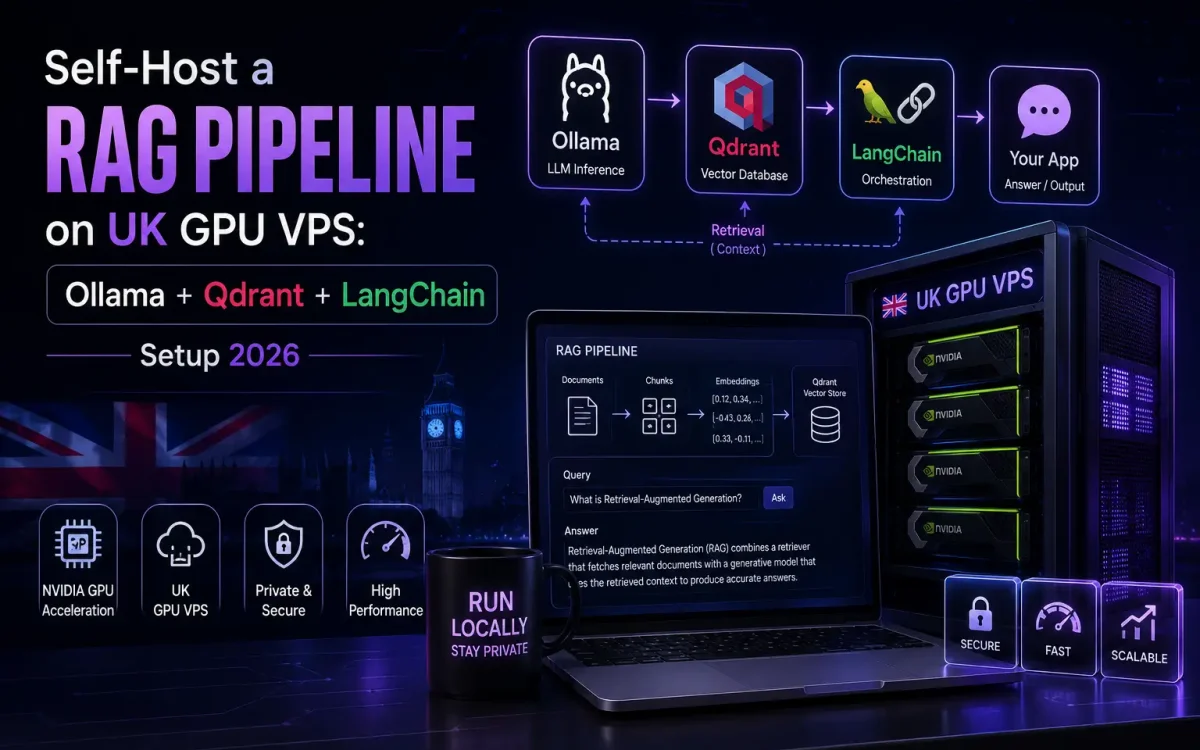
Retrieval-Augmented Generation lets a language model answer questions using your own documents instead of only what it memorised during training. In this guide you will learn how to self-host a RAG pipeline on a UK GPU VPS using three open-source tools: Ollama for local models, Qdrant for vector storage, and LangChain for orchestration. The result is a private, GDPR-friendly knowledge assistant that never sends your data to a third-party API.
What Is a RAG Pipeline?
A RAG pipeline retrieves the most relevant chunks of your own content from a vector database, injects them into the prompt as context, and asks the language model to answer using that grounded material. Instead of hoping the model already “knows” the answer, you feed it the exact passages it needs at query time. This dramatically reduces hallucination, keeps answers current, and lets you add private or proprietary knowledge without the cost and complexity of retraining the model.
The flow is simple in principle. Your documents are split into small chunks, each chunk is converted into a numeric vector (an embedding) that captures its meaning, and those vectors are stored in a vector database. When a user asks a question, the question is embedded too, the database returns the closest-matching chunks, and the model generates an answer grounded in them. Every part of that loop can run on hardware you control.
Why Self-Host RAG on a UK GPU VPS
The biggest reason to self-host is data residency. When you send documents and queries to a hosted AI API, your data leaves your control and often crosses borders. Running the whole stack on a UK GPU VPS keeps every document, embedding and prompt on UK infrastructure, which makes GDPR compliance and client confidentiality far easier to demonstrate. For legal, healthcare, finance and public-sector work, that boundary is not optional.
Cost is the second driver. Per-token API pricing is fine for prototypes but becomes unpredictable at scale, especially for RAG where every query carries a large context payload. A fixed monthly UK GPU VPS turns that variable bill into a flat, forecastable line item you can run as hard as you like. Privacy and control round out the case: you choose the models, you keep the logs, and nothing is silently deprecated underneath you. If you are still weighing the trade-offs, our comparison of self-hosted AI versus cloud AI platforms breaks it down further.
RAG Architecture: Ollama, Qdrant and LangChain

The stack has three moving parts, each with a clear job. Ollama serves both the chat model and the embedding model over a local API. Qdrant stores and searches the vectors. LangChain wires everything together into a retrieval chain. Because each component talks over HTTP on localhost, they can all live on one VPS or scale out later.
- Ollama runs local LLMs such as llama3.1, mistral and qwen2.5, plus embedding models like nomic-embed-text, exposing them on
localhost:11434. - Qdrant is an open-source vector database written in Rust that stores embeddings alongside metadata payloads and searches them with an HNSW index.
- LangChain orchestrates the load, split, embed, retrieve and generate steps into a single, testable chain.
At request time the question flows through LangChain to Ollama’s embedding endpoint, the resulting vector is sent to Qdrant, the top matching chunks come back, and LangChain stuffs them into a prompt that Ollama’s chat model answers. Everything happens inside your VPS network perimeter.
How to Install Ollama and Pull Models
Ollama is the fastest way to get local inference running. On a GPU VPS with NVIDIA drivers and CUDA already installed, a single command installs the runtime, and Ollama automatically uses the GPU for acceleration.
# Install Ollama
curl -fsSL https://ollama.com/install.sh | sh

# Pull a chat model and an embedding model
ollama pull llama3.1
ollama pull nomic-embed-text

# Verify the API is live
curl http://localhost:11434/api/tags
The chat model handles generation while nomic-embed-text produces embeddings; keeping both in Ollama means one runtime, one API and one place to manage VRAM. For a deeper look at tuning models for throughput and reliability, see our guide to running Ollama on a UK GPU VPS in production. If you need a very large model such as a 70B, a dedicated vLLM setup for Llama 70B may serve inference more efficiently than Ollama.
How to Deploy Qdrant as Your Vector Database

Qdrant runs cleanly as a Docker container and needs no external dependencies. The command below starts it with a mounted volume so your vectors survive restarts, exposing the REST API on port 6333 and gRPC on 6334.
docker run -d --name qdrant
  -p 6333:6333 -p 6334:6334
  -v $(pwd)/qdrant_storage:/qdrant/storage
  --restart unless-stopped
  qdrant/qdrant
Qdrant stores each vector together with a JSON payload, so you can attach metadata such as source file, author, date or access level, then filter on those fields during search. That payload filtering is what makes production retrieval precise rather than merely fuzzy. The project is open source and actively maintained; the authoritative reference is the Qdrant vector database repository, which documents its HNSW indexing, filtering and quantisation options in detail.
How to Build the RAG Chain with LangChain
With Ollama and Qdrant running, LangChain ties them together. Install the integration packages, then load your documents, split them into chunks, embed those chunks, upsert them into Qdrant, and expose a retriever that feeds a chat chain.
pip install langchain langchain-ollama langchain-qdrant qdrant-clientfrom langchain_ollama import OllamaEmbeddings, ChatOllama
from langchain_qdrant import QdrantVectorStore
from langchain_text_splitters import RecursiveCharacterTextSplitter
from langchain_core.prompts import ChatPromptTemplate
from langchain_core.runnables import RunnablePassthrough
from langchain_core.output_parsers import StrOutputParser
# 1. Split documents into overlapping chunks
splitter = RecursiveCharacterTextSplitter(chunk_size=800, chunk_overlap=120)
chunks = splitter.split_documents(raw_docs)
# 2. Embed with Ollama and store in Qdrant
embeddings = OllamaEmbeddings(model="nomic-embed-text")
store = QdrantVectorStore.from_documents(
chunks,
embedding=embeddings,
url="http://localhost:6333",
collection_name="kb",
)
retriever = store.as_retriever(search_kwargs={"k": 4})
# 3. Build the grounded generation chain
prompt = ChatPromptTemplate.from_template(
"Answer using only the context below.nnContext:n{context}nnQuestion: {question}"
)
llm = ChatOllama(model="llama3.1", temperature=0)
chain = (
{"context": retriever, "question": RunnablePassthrough()}
| prompt | llm | StrOutputParser()
)
print(chain.invoke("What is our refund policy?"))The RecursiveCharacterTextSplitter keeps chunks small enough to retrieve precisely while the overlap preserves context across boundaries. The retriever returns the four closest chunks, which the prompt injects as grounding context before the model answers. This same pattern extends naturally to multi-step AI agents once your retrieval layer is solid.
Choose the Right GPU VPS for RAG

Sizing a RAG box is mostly about generation, not retrieval. Embeddings are lightweight and Qdrant is CPU-and-RAM bound, so the deciding factor is how much VRAM your chat model needs. The table below maps model size to approximate VRAM and a sensible GPU VPS tier. Treat the VRAM figures as rough guides for quantised models rather than exact numbers.
| Chat model size | Approx. VRAM (quantised) | Suggested GPU VPS tier | Typical use |
|---|---|---|---|
| 7–8B (llama3.1, mistral) | ~8–16 GB | Single mid GPU (L4 / L40S-class) | Startups, internal knowledge bases |
| 13–14B (qwen2.5) | ~16–24 GB | L40S-class | Higher-quality answers, more concurrency |
| 30–34B | ~24–48 GB | A100-class | Complex reasoning over large corpora |
| 70B | ~40–80 GB | H100-class or dual-GPU | Flagship accuracy, heavy production load |
For most UK startups and data teams, a 7–8B model on a single mid-range GPU is the sweet spot: fast, accurate enough when well-grounded, and cheap to run around the clock. If you expect heavy concurrency or want to compare accelerators directly, our breakdown of the H100 vs A100 vs L40S GPU VPS options explains where each card earns its keep.
Best Practices for Production RAG
Getting a demo working is easy; getting reliable answers in production takes discipline. The quality of your retrieval usually matters more than the size of your model, so invest there first.
- Tune chunking: experiment with chunk size and overlap; too large dilutes relevance, too small loses context.
- Use metadata filtering: store source, date and access level in the Qdrant payload and filter on them at query time.
- Add hybrid search and re-ranking: combine dense vectors with keyword search, then re-rank the top results for precision.
- Cache aggressively: cache embeddings and frequent query results to cut latency and GPU load.
- Run services under supervision: keep Ollama and Qdrant as systemd or Docker services with restart policies so they recover automatically.
- Monitor VRAM and latency: watch GPU memory, queue depth and response times so you can scale before users notice.
Conclusion
A self-hosted RAG stack built on Ollama, Qdrant and LangChain gives you grounded, private AI answers on infrastructure you fully control. Running it on a UK GPU VPS keeps your documents and embeddings on UK soil, makes GDPR compliance straightforward, and turns an unpredictable API bill into a fixed monthly cost.
Start small, prove the retrieval quality, then scale the model and hardware as demand grows.
- Spin up a UK GPU VPS and install Ollama, then pull llama3.1 and nomic-embed-text.
- Deploy Qdrant with Docker and a persistent storage volume.
- Build the LangChain chain and test it against a small document set.
- Add metadata filtering, caching and monitoring before going live.
Self-host your AI stack on a UK Speed server
Run Ollama, Qdrant and your RAG pipeline on powerful AMD EPYC cloud servers, with your data kept in the UK.


