- Why Lightweight Kubernetes Beats Full Upstream on UK VPS
- How K3s Works for Edge and Homelab Deployments
- How K0s Delivers Pure Upstream Kubernetes on UK VPS
- MicroK8s: Canonical's Opinionated Kubernetes for Ubuntu VPS
- K3s vs K0s vs MicroK8s: Feature and Resource Comparison
- How to Install K3s on Ubuntu 24.04 UK VPS in 30 Seconds
- Multi-Node K3s vs K0s vs MicroK8s Clusters on UK VPS
- Running WordPress and WooCommerce on Lightweight Kubernetes
- When to Pick K3s, K0s, or MicroK8s for UK VPS in 2026
- Conclusion: Lightweight Kubernetes on UK VPS in 2026
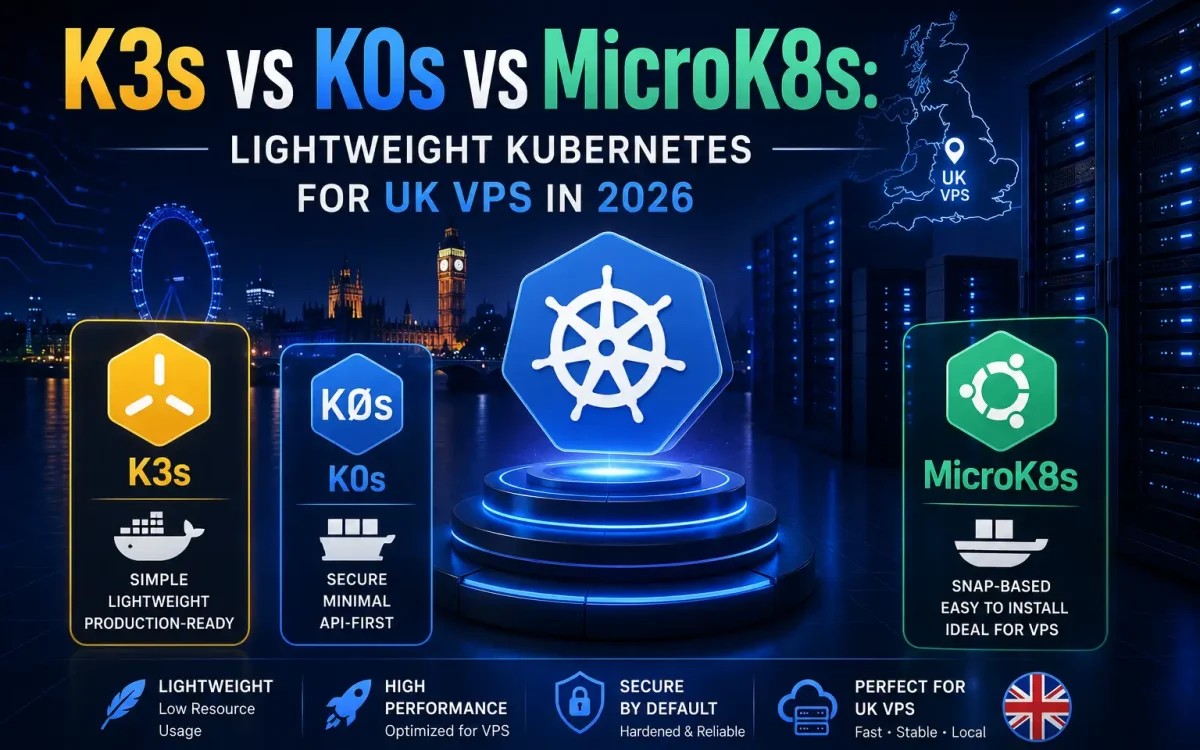
K3s vs K0s vs MicroK8s is the lightweight Kubernetes question every UK developer running a homelab, edge deployment, or small production cluster needs to answer in 2026 — because full upstream Kubernetes on a single UK VPS is overkill. Rancher’s K3s, Mirantis’s K0s, and Canonical’s MicroK8s each strip Kubernetes to essentials with different trade-offs: single-binary simplicity, minimal footprint, or opinionated add-ons. This guide compares K3s vs K0s vs MicroK8s on real workloads deployed on a UK Speed premium network VPS, showing installation, resource usage, feature parity, and which fits your stack in 2026.
Why Lightweight Kubernetes Beats Full Upstream on UK VPS
Vanilla upstream Kubernetes consumes 2 GB of RAM before running a single application pod — a heavy tax on a modest UK VPS. Lightweight distributions strip the fat: no separate cloud controller manager, no legacy storage plugins, and often a lighter datastore like SQLite or Dqlite instead of etcd. For homelab clusters, edge deployments serving UK PoPs, or small production workloads under 20 services, K3s vs K0s vs MicroK8s all deliver 100% Kubernetes API compatibility at 5-10x less overhead. Your Deployments, Services, Ingresses, and Helm charts run unchanged — you just avoid the memory and complexity cost of a full control plane.
How K3s Works for Edge and Homelab Deployments
K3s is Rancher Labs’ answer to Raspberry Pi Kubernetes clusters that took off in 2019 and is now used at massive scale by IoT platforms, retail edge networks, and homelab enthusiasts. The entire cluster is a 60 MB Go binary containing embedded SQLite (or etcd for HA), containerd runtime, Flannel CNI, Traefik ingress, and ServiceLB load balancer. Install with curl -sfL https://get.k3s.io | sh - and you have a working single-node cluster in under 30 seconds. Add worker nodes with one more command per node. Comparing K3s vs K0s vs MicroK8s on installer speed, K3s consistently wins.
How K0s Delivers Pure Upstream Kubernetes on UK VPS
K0s (spelled with a zero) is Mirantis’s minimal-fat Kubernetes distribution. Unlike K3s, K0s ships zero add-ons by default — no ingress, no load balancer, no storage class, no CNI beyond a bare Kube-Router option. This purity is the point: teams that need strict CNCF conformance without the opinions get an unmodified upstream Kubernetes runtime in a single 200 MB binary. Install with curl -sSLf https://get.k0s.sh | sudo sh and configure via /etc/k0s/k0s.yaml. K0s uses Kine (an SQLite-to-etcd translation layer) by default, or you can switch to real etcd for HA clusters.
MicroK8s: Canonical’s Opinionated Kubernetes for Ubuntu VPS
MicroK8s is packaged as an Ubuntu Snap and integrates deeply with Canonical’s ecosystem. Install with sudo snap install microk8s --classic and enable features via a rich add-on catalogue: microk8s enable ingress dns storage cert-manager gpu observability. GPU support is first-class — MicroK8s auto-detects NVIDIA GPUs and configures the runtime automatically, making it the natural choice for UK GPU VPS running Ollama, PyTorch training jobs, or Stable Diffusion. MicroK8s ships with Cilium eBPF networking and Dqlite (a distributed SQLite that provides HA without etcd complexity).
K3s vs K0s vs MicroK8s: Feature and Resource Comparison
| Feature | K3s | K0s | MicroK8s |
|---|---|---|---|
| Packager | Rancher / SUSE | Mirantis | Canonical |
| Binary size | 60 MB | 200 MB | Snap ~500 MB |
| Idle RAM | ~500 MB | ~350 MB | ~700 MB |
| Default CNI | Flannel | Kube-Router | Cilium |
| Default Ingress | Traefik | None | NGINX (add-on) |
| Datastore | SQLite / etcd | Kine / etcd | Dqlite / etcd |
| GPU support | Manual setup | Manual setup | One-command add-on |
| Multi-node HA | Native (v1.30+) | Native | Native (Dqlite) |
| CNCF status | Sandbox | Incubating | Certified conformance |
How to Install K3s on Ubuntu 24.04 UK VPS in 30 Seconds
Provision a fresh Ubuntu 24.04 UK VPS with at least 2 vCPU and 4 GB RAM. SSH in and run curl -sfL https://get.k3s.io | sh -. The installer downloads K3s, installs systemd services, and starts a single-node cluster. Verify with sudo k3s kubectl get nodes. To use standard kubectl, copy the kubeconfig: sudo cp /etc/rancher/k3s/k3s.yaml ~/.kube/config && sudo chown $USER ~/.kube/config. Add worker nodes on other UK VPS with curl -sfL https://get.k3s.io | K3S_URL=https://your-server:6443 K3S_TOKEN=your-token sh -. Similar Docker-first patterns are covered in our Docker Compose production guide.
Multi-Node K3s vs K0s vs MicroK8s Clusters on UK VPS
Production Kubernetes needs HA control plane and multi-worker deployments. K3s achieves HA by running 3+ server nodes with an embedded etcd datastore — one command to promote a fresh node. K0s uses etcd or Kine for HA and separates controller and worker roles cleanly. MicroK8s uses Dqlite for HA, which auto-replicates between three nodes without etcd operational overhead. On UK Speed premium network with sub-1 ms inter-node latency, all three achieve identical HA characteristics; the difference is operational simplicity. For raw storage performance backing your cluster PersistentVolumes, our VPS NVMe vs SSD benchmark shows why enterprise NVMe matters.
Storage and Networking Across K3s vs K0s vs MicroK8s
K3s ships with local-path-provisioner for single-node volumes and integrates cleanly with Longhorn for distributed block storage across nodes. K0s ships nothing — you install your own CSI driver (usually OpenEBS, Longhorn, or Rook-Ceph). MicroK8s enables local storage with one command and offers Ceph as a Snap add-on. For networking, K3s uses Flannel (simple VXLAN overlay), K0s uses Kube-Router (kube-proxy replacement with lightweight overlay), and MicroK8s uses Cilium (eBPF-based, richest observability). For multi-tenant workloads, the K3s vs K0s vs MicroK8s networking choice determines observability depth — Cilium’s Hubble UI is unmatched.
Running WordPress and WooCommerce on Lightweight Kubernetes
All three distributions run WordPress workloads identically — the Bitnami WordPress Helm chart deploys unchanged. Comparing K3s vs K0s vs MicroK8s for WordPress on UK VPS, the deciding factor is your ecosystem: teams already using Rancher for cluster management pick K3s, teams wanting minimal opinions pick K0s, teams on Ubuntu Server with GPU workloads pick MicroK8s. Each pairs well with a caching object store (Valkey or Redis), a MariaDB StatefulSet, and a Traefik/Nginx ingress — the reverse proxy comparison in our Kubernetes vs Docker Swarm article explains the wider trade-offs.
When to Pick K3s, K0s, or MicroK8s for UK VPS in 2026
Pick K3s if you value smallest RAM footprint, integrated Traefik ingress, and the largest lightweight-Kubernetes community. Pick K0s if you need strict upstream conformance without preloaded add-ons and want to build your own opinionated stack. Pick MicroK8s if you run Ubuntu Server, need GPU support out of the box, or want Canonical’s commercial support. Whichever you pick, host on a UK Speed premium network VPS so cluster inter-node traffic stays sub-1 ms. For the official reference on lightweight Kubernetes ecosystems, see the CNCF Annual Survey.
Conclusion: Lightweight Kubernetes on UK VPS in 2026
K3s vs K0s vs MicroK8s are all excellent choices — the wrong answer is running full upstream Kubernetes on a single VPS. K3s wins for edge and homelab, K0s wins for conformance purists, MicroK8s wins for Ubuntu-first and GPU workloads. Pair any of them with UK Speed’s premium network for the fastest possible inter-node latency and predictable performance.