- Introduction: Why Docker Compose Is Changing WordPress Hosting in 2026
- What Is Docker Compose?
- Why Run WordPress with Docker on a VPS?
- Security Benefits of Docker WordPress Hosting
- Optimizing WordPress Performance with Docker
- Backup Strategy for Docker WordPress
- Docker Compose vs Traditional WordPress Hosting
- Docker WordPress for Developers and Agencies
- Common Mistakes When Running WordPress Docker in Production
Introduction: Why Docker Compose Is Changing WordPress Hosting in 2026
WordPress hosting has evolved far beyond traditional shared hosting environments. Modern websites require better performance, stronger security, easier deployment, and more control over the complete infrastructure.
Developers, agencies, and businesses are increasingly moving WordPress workloads to VPS environments using Docker and Docker Compose.
A properly configured Docker Compose WordPress production setup on a UK VPS provides a flexible, scalable, and professional hosting architecture.
Instead of installing everything directly on the operating system, Docker allows every service to run inside isolated containers:
- WordPress application
- Database server
- Web server
- Cache services
- Reverse proxy
- SSL management
- Monitoring tools
This creates a cleaner and more manageable production environment.
For businesses running professional websites, combining Docker Compose with a high performance UK VPS provides the foundation for fast, secure, and scalable WordPress hosting.
What Is Docker Compose?
Docker Compose is a tool used to define and manage multiple Docker containers through a single configuration file.
A WordPress website usually depends on several components:
- Web application
- PHP environment
- Database
- Cache system
- Network configuration
Instead of manually configuring every service, Docker Compose allows administrators to deploy the entire stack automatically.
Benefits include:
- Faster deployments
- Easier maintenance
- Consistent environments
- Better application isolation
- Simplified updates
This makes Docker Compose one of the most popular choices for modern WordPress VPS hosting.
Why Run WordPress with Docker on a VPS?
Traditional WordPress installations usually place all components directly on one server.
For example:
- PHP
- Web server
- Database
- Cache system
Everything shares the same environment.
Docker changes this approach by separating services into containers.
Advantages include:
Better Isolation
Each service runs independently.
Problems inside one container are less likely to affect the entire system.
Easier Management
Applications can be updated, restarted, or replaced more efficiently.
Consistent Deployment
The same configuration can run across:
- Development servers
- Testing environments
- Production VPS servers
Scalability
Container-based infrastructure makes future expansion easier.
Why Choose a UK VPS for Docker WordPress Hosting?
The performance of Docker depends heavily on the infrastructure behind it.
A professional WordPress VPS should provide:
- Fast CPU performance
- NVMe storage
- Reliable networking
- Low latency connectivity
- Scalable resources
A UK VPS is ideal for businesses targeting:
- United Kingdom visitors
- European customers
- Global audiences
Server location and network quality directly affect website speed and user experience.
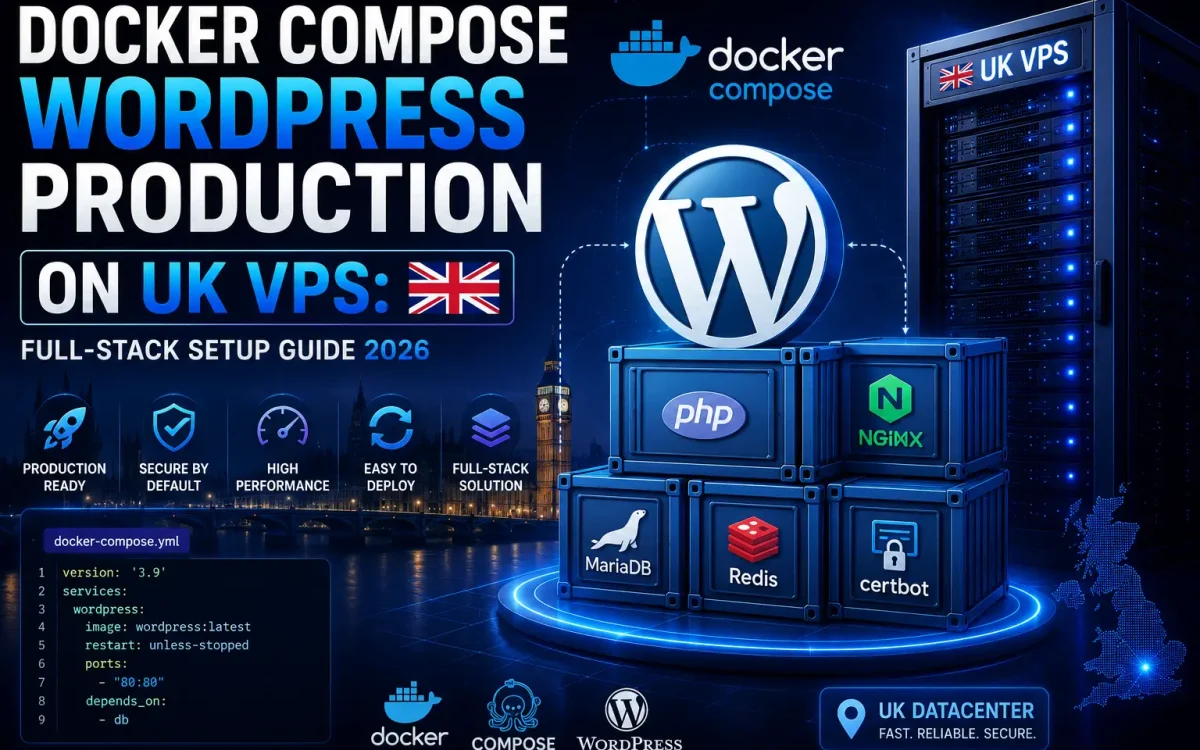
Recommended Docker WordPress Production Architecture
A production WordPress Docker stack should include multiple optimized components.
A professional setup usually includes:
WordPress Container
The WordPress container runs:
- WordPress files
- PHP environment
- Application processes
This separates WordPress from other services.
Database Container
The database is one of the most important parts of WordPress performance.
Popular choices:
- MariaDB
- MySQL
The database container stores:
- Posts
- Pages
- Settings
- User information
- WooCommerce data
Reverse Proxy Container
A reverse proxy manages incoming web traffic.
Common solutions:
- NGINX
- Traefik
Benefits include:
- SSL handling
- Traffic routing
- Security rules
- Multiple website management
Cache Container
Caching dramatically improves WordPress performance.
Popular options:
- Redis
- Object cache systems
Caching helps reduce:
- Database load
- Page generation time
- Server resource usage
SSL Certificate Management
Security is required for every modern website.
Production environments should always use HTTPS.
SSL provides:
- Secure connections
- Better trust
- Improved browser compatibility
- SEO benefits
Docker Compose WordPress Production Example Structure
A professional WordPress Docker environment usually contains:
Application Layer:
WordPress + PHP
Database Layer:
MariaDB or MySQL
Cache Layer:
Redis
Network Layer:
NGINX / Reverse Proxy
Security Layer:
SSL + Firewall
Backup Layer:
Automated backups
This separation creates a reliable full-stack WordPress hosting environment.
Security Benefits of Docker WordPress Hosting
Security is one of the biggest advantages of containerized deployments.
Docker helps improve security through:
- Service isolation
- Controlled environments
- Limited exposure
- Easier updates
However, Docker does not replace proper server security.
A production VPS should also include:
- Firewall configuration
- Regular updates
- Secure SSH access
- Malware monitoring
- Backup strategy
Optimizing WordPress Performance with Docker
A Docker WordPress setup can achieve excellent performance when properly optimized.
Important areas include:
PHP Optimization
Improve performance with:
- Modern PHP versions
- OPcache
- Proper memory limits
Database Optimization
Improve database speed using:
- Correct configuration
- Query optimization
- Regular maintenance
Redis Object Cache
Redis reduces database requests by storing frequently accessed data.
This improves:
- Page response time
- WooCommerce performance
- User experience
CDN Integration
For global performance, combine Docker WordPress hosting with CDN providers.
Examples:
- Cloudflare
- Bunny.net
- Fastly
A CDN improves:
- Static file delivery
- International speed
- Traffic handling
Backup Strategy for Docker WordPress
Production WordPress websites require reliable backups.
Backup important components:
- WordPress files
- Database volumes
- Configuration files
A strong backup strategy should include:
- Automated backups
- Offsite storage
- Multiple restore points
Backups are essential for business continuity.
Monitoring Docker WordPress Production Servers
Professional environments require monitoring.
Important metrics:
- CPU usage
- Memory consumption
- Disk performance
- Container health
- Network usage
Monitoring helps detect issues before they affect visitors.
Docker Compose vs Traditional WordPress Hosting
Traditional Hosting:
- Easier for beginners
- Limited customization
- Shared environment
- Less flexible
Docker Compose VPS Hosting:
- Full control
- Better isolation
- Developer friendly
- Easier scaling
- Production ready
The best choice depends on technical requirements.
Docker WordPress for Developers and Agencies
Docker is especially useful for developers managing multiple projects.
Benefits:
- Repeatable deployments
- Separate environments
- Easier testing
- Faster migration
Agencies can create standardized WordPress environments for multiple customers.
Docker WordPress for WooCommerce Stores
WooCommerce websites require stronger infrastructure because they handle:
- Products
- Orders
- Customer sessions
- Database activity
A Docker VPS environment allows better optimization for:
- Performance
- Reliability
- Security
- Growth
Common Mistakes When Running WordPress Docker in Production
Avoid these issues:
No Persistent Storage
Containers should use persistent volumes for important data.
Weak Security Configuration
Do not expose unnecessary services publicly.
No Backup Plan
Container environments still require reliable backups.
Poor Resource Planning
Choose enough CPU, RAM, and storage for your workload.
Why UK Speed VPS Is Suitable for Docker WordPress Hosting
UK Speed VPS infrastructure is designed for modern application hosting.
Our environment provides:
- High performance VPS servers
- Fast NVMe storage
- Premium network connectivity
- Flexible resources
- Reliable infrastructure
This gives developers and businesses a strong foundation for Docker-based WordPress deployments.
Future of WordPress Hosting: Containers and Automation
WordPress infrastructure continues to evolve.
Modern hosting is moving toward:
- Containers
- Automation
- Cloud native deployments
- Scalable architectures
Docker Compose provides a bridge between traditional hosting and modern infrastructure management.
Businesses that adopt containerized workflows gain better flexibility and control.
Conclusion: Build a Modern WordPress Platform with Docker Compose on UK VPS
Docker Compose provides a powerful way to run WordPress in a professional production environment.
A complete Docker WordPress stack provides:
- Better isolation
- Easier management
- Strong security
- Performance optimization
- Flexible scaling
Combined with a reliable UK VPS, Docker allows businesses, developers, and agencies to build modern WordPress platforms ready for 2026.
Choosing the right VPS infrastructure is the foundation of a fast, secure, and scalable WordPress environment.
Further Reading
For an authoritative reference on this topic, see Docker Documentation.
Looking for fast, secure hosting?
Visit UK Speed for cloud servers, VPS NVMe, and dedicated hosting tailored for performance.