Choosing the right hosting control panel is a critical decision for anyone managing websites, servers, or hosting environments. In 2026, two of the most popular control panels remain cPanel and Plesk. Both offer powerful tools for managing hosting accounts, domains, emails, databases, and applications—but they differ in usability, features, pricing, and ideal use cases. If you are launching a website, running a hosting business, or managing multiple projects, understanding the difference between cPanel and Plesk can help you make the right choice.
What Is cPanel
cPanel is one of the most widely used web hosting control panels in the world. It is typically paired with WHM, which allows server administrators to manage multiple accounts. cPanel is designed mainly for Linux-based hosting and is especially popular in shared hosting environments. It provides an intuitive interface for managing files, domains, email accounts, databases, and backups, making it ideal for beginners and traditional hosting users.
What Is Plesk
Plesk is a modern hosting control panel that supports both Linux and Windows servers. It offers a centralized dashboard where users can manage multiple websites and services efficiently. Plesk stands out with its developer-friendly features such as Docker support, Git integration, Node.js environments, and advanced automation tools. It is widely used by developers, agencies, and businesses that need flexibility.
Key Differences
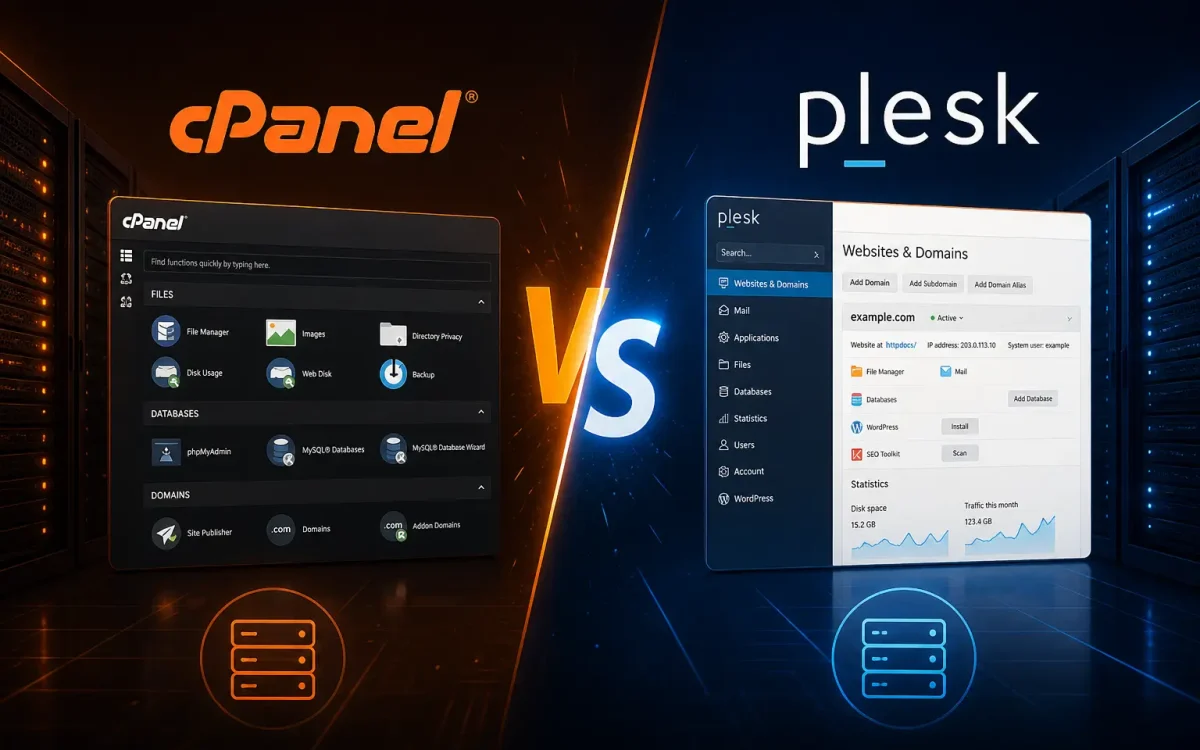
The main difference between cPanel and Plesk lies in how they are structured. cPanel separates user and server management into different interfaces, while Plesk combines everything into a single dashboard. cPanel focuses on simplicity and traditional workflows, whereas Plesk is designed for modern applications and scalability.
User Experience and Interface Design
The user experience is often the deciding factor between cPanel and Plesk for daily users. cPanel uses a classic icon-driven interface that has barely changed in a decade, which makes it instantly familiar to long-time hosting customers but can feel dated to newer users. Plesk takes a modern approach with a single-page dashboard, sidebar navigation, contextual help, and clearer separation between domains, hosting plans, and server settings.
Learning curves differ accordingly. Most beginners can find their way around cPanel within an hour because the icons map closely to common tasks like creating an email account or installing WordPress. Plesk has a slightly steeper initial curve but rewards users with a smoother long-term workflow, especially when managing several sites at once. For agencies and developers who switch between projects all day, the time saved by Plesk’s unified dashboard adds up quickly.
Features and Performance
Both panels provide essential hosting tools such as file management, database control, email setup, and SSL management. cPanel is lightweight and optimized for traditional hosting setups, while Plesk includes additional tools for developers and automation. In terms of performance, both can deliver excellent results when running on high-quality infrastructure with proper optimization.
Security and Pricing
Both cPanel and Plesk offer strong security features, including SSL management, firewall integration, and access controls. Plesk often includes more built-in security tools such as Fail2Ban and security advisors, while cPanel relies more on third-party integrations. Pricing differs significantly, with cPanel using account-based licensing and Plesk offering more flexible plans depending on usage.
Common Use Cases for cPanel and Plesk
cPanel is the natural fit for shared hosting providers, traditional web hosts, and end users who run a small portfolio of WordPress sites or simple business websites. It excels at the predictable mix of email, databases, file management, and one-click installers that most non-technical owners need. If you grew up using hosting in the early 2010s, cPanel will feel like home.
Plesk is a stronger pick for development teams, agencies that manage many client sites, and businesses running a mix of Linux and Windows workloads. Built-in support for Docker containers, Git deployment, Node.js, Ruby, and Python makes it easier to host modern applications without reaching for the command line. Plesk also tends to win when staff includes both content editors and developers, because its permission model handles role separation more cleanly.
How to Migrate Between cPanel and Plesk
Migrating from one control panel to the other is more common than most users expect, especially during host changes. Both panels offer migration tools that handle the heavy lifting. Plesk includes a free Migration Manager that imports cPanel accounts directly, transferring sites, databases, email accounts, and DNS records in one workflow. cPanel offers similar capabilities through WHM Transfer Tool when moving between cPanel servers.
For migrations between cPanel and Plesk, the practical steps are straightforward: take a current backup, run the migration tool from the destination panel, point DNS to the new server only after confirming the import succeeded, and keep the old server live for at least 48 hours as a fallback. Most migrations finish in under an hour for small sites and a few hours for large multi-domain accounts.
Final Verdict
Choosing between cPanel and Plesk depends on your needs. cPanel is ideal for beginners, shared hosting users, and those who prefer a simple and familiar interface. Plesk is better suited for developers, agencies, and businesses that require advanced features, flexibility, and support for modern technologies. Both control panels are powerful, and the best choice depends on your workflow and long-term goals.
Why Your Hosting Provider Still Matters
No matter which control panel you choose, the hosting provider plays a crucial role in performance, security, and overall experience. A powerful control panel on weak infrastructure will still lead to slow websites and poor uptime. That is why choosing a reliable provider is just as important as choosing between cPanel and Plesk. Companies like Maram Host focus on combining high-performance hardware such as NVMe storage with optimized environments, strong security layers, and expert support to ensure both control panels perform at their best. Whether you prefer cPanel or Plesk, the right hosting environment can significantly impact your website’s speed, stability, and long-term success.
Further Reading
For an authoritative reference on this topic, see Cloudflare Learning — What Is Web Hosting.
Looking for fast, secure hosting?
Visit UK Speed for cloud servers, VPS NVMe, and dedicated hosting tailored for performance.