- LEMP Stack Explained: What It Is and Why Run It on a VPS
- LEMP vs LAMP: Why Nginx Instead of Apache
- Prerequisites Before You Begin
- Step 1: Install and Configure Nginx
- Step 2: Install MySQL and Secure It
- Step 3: Install PHP-FPM and Connect It to Nginx
- Step 4: Create a Server Block and Test PHP Processing
- Securing and Tuning Your LEMP Stack
- Conclusion
A LEMP stack is a group of four open-source components — Linux, Nginx, MySQL and PHP — that work together to serve fast, dynamic websites and web applications. It is one of the most popular foundations for hosting WordPress, Laravel, and custom PHP projects, and it runs beautifully on a modern UK VPS where you control the full operating system. In this 2026 guide you will build a complete LEMP server from a clean Ubuntu or Debian install, install and connect Nginx, MySQL and PHP, create a working server block, and finish with the security and tuning steps that matter before you put the site in front of real visitors.
LEMP Stack Explained: What It Is and Why Run It on a VPS
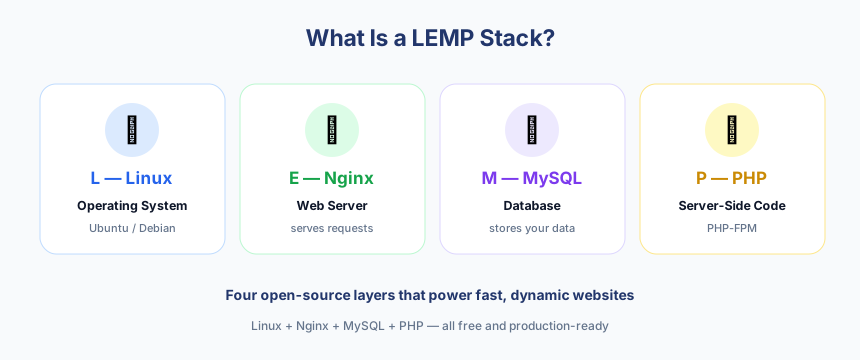
The name is an acronym: Linux is the operating system, the “E” stands for Nginx (pronounced “engine-x”), MySQL is the database, and PHP is the scripting language that generates your pages. On a shared hosting plan these layers are hidden from you and tuned for the average customer, but on a VPS you own the whole stack. That means you choose the PHP version, control how many worker processes run, decide which security rules apply, and can squeeze far more performance out of the same hardware. For UK-based sites, running your own LEMP server close to your audience also keeps latency low and gives you predictable resources rather than a noisy shared neighbourhood.
Because every piece is open source, a LEMP stack has no licensing cost, scales from a tiny blog to a high-traffic store, and is supported by a huge community. That combination of control, price and flexibility is exactly why it remains the default choice for serious self-hosting in 2026.
LEMP vs LAMP: Why Nginx Instead of Apache
LEMP is the close cousin of the older LAMP stack, where the “A” stands for Apache. Both deliver the same end result, but they handle connections very differently. Apache traditionally spawns a process or thread per connection, which is flexible but memory-hungry under load. Nginx uses an event-driven, asynchronous model that handles thousands of simultaneous connections with a small, steady memory footprint, which is why it excels at serving static files and acting as a high-concurrency front end. If you want a deeper comparison against other servers, our guide on WordPress on LiteSpeed vs Nginx vs Apache breaks down the trade-offs for UK sites.
| Aspect | Nginx (LEMP) | Apache (LAMP) |
|---|---|---|
| Connection model | Event-driven, asynchronous | Process/thread per connection |
| Memory under load | Low and stable | Higher as traffic grows |
| Static file serving | Very fast | Good |
| PHP handling | Via PHP-FPM over FastCGI | Built-in module or PHP-FPM |
| Per-directory config | Central config, no .htaccess | Flexible .htaccess files |
Neither choice is wrong, but for a lean, high-traffic VPS the Nginx approach usually wins. The one thing to remember is that Nginx does not process PHP itself — it hands PHP requests to a separate service called PHP-FPM, which we will wire up later. If you want the wider history of these bundles, the Wikipedia entry on the LAMP software bundle also documents the LEMP variant and its origins.
Prerequisites Before You Begin
Before touching any packages, make sure your environment is ready. The commands in this guide target Ubuntu and Debian systems, which use the apt package manager; if you are on RHEL, AlmaLinux or Rocky Linux you would use dnf instead, and some package names differ slightly. Have the following in place:
- A UK VPS running a fresh Ubuntu 24.04 LTS or Debian 12 install.
- A non-root user with
sudoprivileges, used for every command below. - SSH access to the server and a terminal on your local machine.
- A domain name with its DNS A record pointed at your VPS IP address.
- An up-to-date system — run
sudo apt updateandsudo apt upgradefirst.
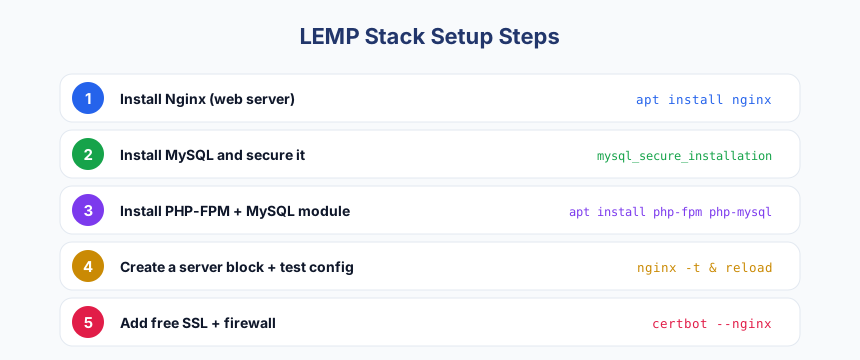
With those ready, the full build follows four clear stages:
- Install and configure Nginx as the web server.
- Install MySQL and lock it down for production.
- Install PHP-FPM and connect it to Nginx over FastCGI.
- Create a server block and confirm PHP is processed correctly.
Step 1: Install and Configure Nginx
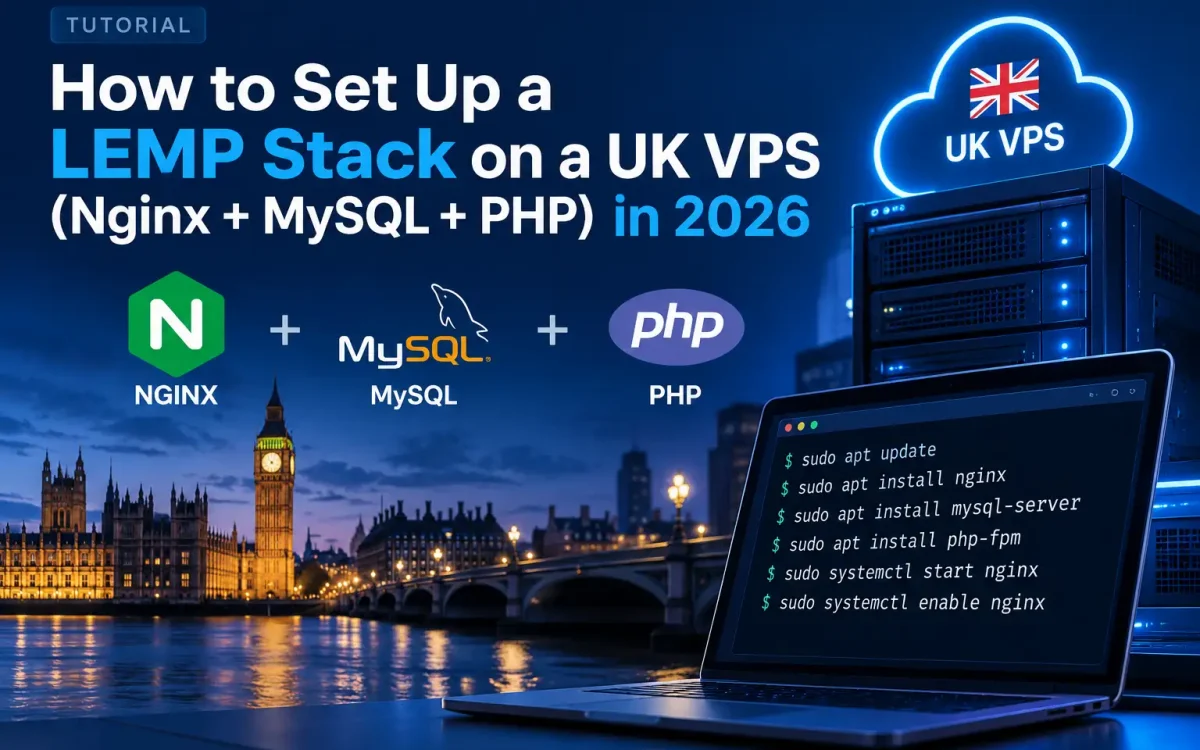
Start with the web server. Install it with sudo apt install nginx, and once it finishes the service should start automatically. You can confirm it is running with systemctl status nginx. If a firewall is already active, allow web traffic so visitors can reach you on ports 80 and 443 — for example sudo ufw allow 'Nginx Full'.
Open your VPS IP address in a browser and you should see the default Nginx welcome page, which confirms the server is listening and serving files. Nginx stores its site definitions in /etc/nginx/sites-available and activates them through symbolic links in /etc/nginx/sites-enabled. We will come back to that directory to define your own site. For now, the key habit to build is testing before reloading: whenever you change configuration, run sudo nginx -t to check the syntax, then apply it with sudo systemctl reload nginx.
Step 2: Install MySQL and Secure It
Next comes the database. Install the server with sudo apt install mysql-server. The packages set up the service, but the default install leaves several insecure defaults in place, so the very next thing you must run is sudo mysql_secure_installation. This interactive tool lets you set a strong root password, remove anonymous accounts, disable remote root login, and drop the test database. Answer yes to the hardening prompts unless you have a specific reason not to.
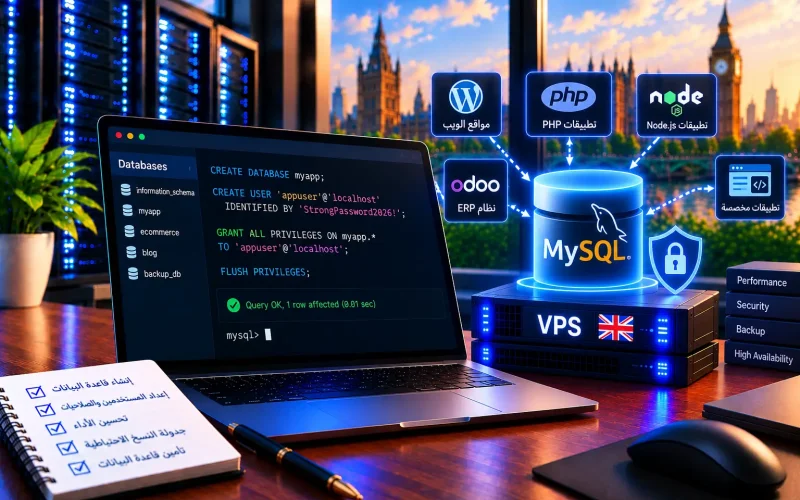
Once secured, log in with sudo mysql and create a dedicated database and user for your application rather than using the root account for day-to-day work. Give that user only the privileges it needs on its own database. If you are weighing which engine to standardise on, our comparison of MariaDB vs MySQL vs PostgreSQL for WordPress explains where each one shines on UK hosting. For most LEMP builds, stock MySQL is a dependable, well-supported default.
Step 3: Install PHP-FPM and Connect It to Nginx
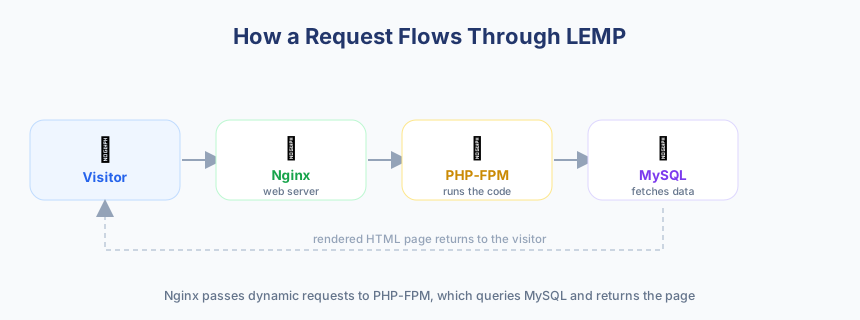
PHP is the component that turns database content into the pages your visitors see. Because Nginx has no built-in PHP module, you install the FastCGI Process Manager and the MySQL driver together with sudo apt install php-fpm php-mysql. This gives you a standalone PHP-FPM service that listens on a local socket and waits for Nginx to pass it requests.
The connection works like this: Nginx receives the request, sees that the file ends in .php, and forwards it over FastCGI to the PHP-FPM socket. PHP-FPM executes the script, talks to MySQL if needed, and returns the finished HTML for Nginx to send back to the browser. You define that hand-off inside your server block with a location directive that points at the PHP-FPM socket — note the exact socket path, as it includes your installed PHP version. Getting the number of worker processes right matters a great deal on a VPS; our PHP-FPM tuning guide walks through sizing pm.max_children to your available memory.
Step 4: Create a Server Block and Test PHP Processing
A server block is Nginx’s equivalent of an Apache virtual host: it tells the server which domain to answer for, where the site files live, and how to handle PHP. Create a new file for your domain inside /etc/nginx/sites-available, set its root to your web directory such as /var/www/yourdomain, list index.php in the index line, and add the PHP location block that forwards requests to PHP-FPM. Then enable the site by linking it into /etc/nginx/sites-enabled.
Validate the configuration with sudo nginx -t and, if it reports success, apply it with sudo systemctl reload nginx. To prove PHP is being processed rather than downloaded, drop a small info.php file containing a single PHP function into your web root and load it in the browser; you should see the PHP information page rendered as HTML. Delete that test file immediately afterwards, because it exposes details about your server that attackers find useful. At this point the whole stack — Nginx, MySQL and PHP — is talking end to end.
Securing and Tuning Your LEMP Stack
A working LEMP server is only half the job; a production server also has to be safe and fast. Before you point real traffic at it, enable a firewall and move the site onto HTTPS. You can issue a free certificate in minutes — follow our walkthrough on installing free SSL with Let’s Encrypt and redirect all plain HTTP on port 80 to encrypted traffic on port 443. Work through the following checklist:
- Enable a firewall (such as
ufw) and allow only SSH and web ports. - Install a valid TLS certificate and force HTTPS site-wide before going live.
- Keep packages patched with regular
sudo apt updateand upgrades. - Run PHP-FPM and MySQL under their own limited users, never as root.
- Hide version banners and remove any leftover test or info files.
- Tune
worker_processesin Nginx and PHP-FPM pool settings to your RAM. - Enable Gzip or Brotli compression and sensible static-asset caching.
For tuning, match your resources to your workload: set Nginx worker processes to the number of CPU cores, size the PHP-FPM pool so it never exhausts memory, and adjust MySQL’s buffer settings for the data your application actually uses. Small, measured changes here deliver far more real-world speed than any single “magic” setting.
Conclusion
Building a LEMP stack on a UK VPS gives you a fast, flexible and fully owned hosting platform for WordPress and custom PHP apps alike. With Nginx handling connections, MySQL storing your data and PHP-FPM generating pages over FastCGI, you have a lean server you can grow and tune on your own terms. The build itself is straightforward once you understand how the pieces connect, and the habits of testing with sudo nginx -t and securing each layer will serve you for years. If you would like us to run this stack for you, see the current options on our official VPS plans page.
What to do next:
- Provision a clean Ubuntu or Debian UK VPS and create a sudo user.
- Install Nginx, MySQL and PHP-FPM, then wire them together with a server block.
- Enable your firewall and install a free Let’s Encrypt certificate for HTTPS.
- Tune PHP-FPM and Nginx worker settings to match your VPS resources.
- Deploy your site, remove any test files, and monitor performance.
Ready to run your LEMP stack on a British VPS?
UK Speed VPS plans run on AMD EPYC processors and NVMe storage in a UK data center, with full root access, dedicated resources, 24/7 support, and flexible payment — the ideal home for your Nginx, MySQL and PHP stack.