
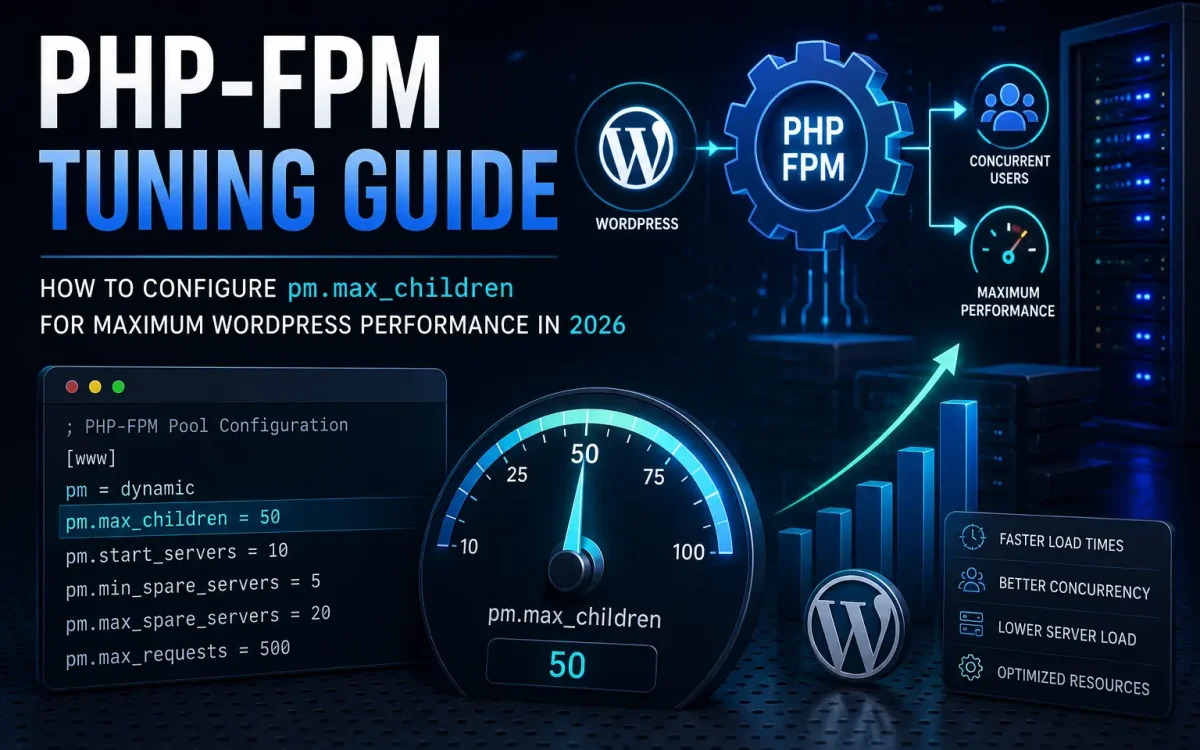
WordPress performance depends on many factors, including CPU power, storage speed, caching layers, database optimization, and web server configuration. However, one of the most overlooked settings in modern hosting environments is PHP-FPM tuning. A poorly configured PHP-FPM pool can become a major bottleneck, causing slow page loads, 502 errors, excessive CPU usage, and poor Core Web Vitals scores—even on powerful servers with enterprise hardware. Among all PHP-FPM parameters, none is more important than pm.max_children.
In this guide, you’ll learn exactly what pm.max_children does, how it affects WordPress performance, how to calculate the optimal value, and how to tune PHP-FPM for maximum efficiency in 2026.
What Is PHP-FPM?
PHP-FPM (FastCGI Process Manager) is the modern standard for executing PHP applications. Instead of launching a new PHP process for every request, PHP-FPM manages a pool of worker processes that remain available to handle incoming traffic. Benefits include:
- Faster request processing
- Better resource utilization
- Lower server overhead
- Improved scalability
- Higher concurrency
Virtually all modern WordPress hosting platforms use PHP-FPM.
Why PHP-FPM Matters for WordPress
Every WordPress page request requires PHP execution. Examples include:
- Homepage requests
- Blog posts
- WooCommerce product pages
- Checkout pages
- Login pages
- Search functions
- API requests
Each request must be processed by a PHP worker. When all available workers are busy, new requests are forced to wait. This is where pm.max_children becomes critical.
Understanding pm.max_children
The pm.max_children directive determines the maximum number of PHP worker processes that PHP-FPM can run simultaneously. Example:
pm.max_children = 20
This means:
- Up to 20 PHP requests can be processed concurrently.
- The 21st request must wait until a worker becomes available.
If your website receives more traffic than available workers can handle, visitors may experience:
- Slow loading pages
- Delayed responses
- 502 Bad Gateway errors
- PHP timeouts
- Increased server load
Why Default Values Are Often Wrong
Many Linux distributions ship with conservative PHP-FPM defaults. Examples include:
pm.max_children = 5
or
pm.max_children = 10
These values may be sufficient for:
- Personal blogs
- Development servers
- Low-traffic websites
However, they are often inadequate for:
- WooCommerce stores
- Membership sites
- Business websites
- High-traffic blogs
- SaaS applications
A modern WordPress site can easily exceed these limits during traffic spikes.
What Happens When pm.max_children Is Too Low?
One of the most common issues in WordPress hosting is PHP worker exhaustion. Symptoms include:
Slow Website Performance
Visitors wait for available workers.
Increased TTFB
Time To First Byte rises significantly.
PHP Queue Build-Up
Requests begin accumulating.
502 Errors
Web servers may return gateway errors.
Checkout Delays
WooCommerce customers experience slower transactions.
Reduced Conversions
Slow websites lose customers. Server resources may appear available, yet performance suffers because PHP workers are exhausted.
What Happens When pm.max_children Is Too High?
Many administrators assume larger values are always better. This is not true. Example:
pm.max_children = 500
Potential problems:
Memory Exhaustion
Each PHP worker consumes RAM.
Excessive Swapping
The operating system may start using disk swap.
CPU Contention
Too many workers compete for CPU resources.
Overall Slowdown
The entire server becomes less responsive. The goal is balance—not simply increasing the value indefinitely.
How PHP Workers Consume Memory
Each PHP process uses memory. The amount varies depending on:
- WordPress plugins
- Themes
- WooCommerce
- Object caching
- PHP extensions
- Traffic patterns
Typical PHP worker memory usage:
| Workload | Approximate RAM per Worker |
|---|---|
| Simple Blog | 50–80 MB |
| Business Website | 80–120 MB |
| WooCommerce | 100–200 MB |
| Membership Site | 150–250 MB |
| Heavy Dynamic Site | 200–300 MB |
Understanding worker memory consumption is essential before adjusting pm.max_children.
How to Calculate the Optimal pm.max_children Value
The recommended formula:
Available RAM for PHP ÷ Average PHP Process Size
Example
Server RAM:
16 GB
Reserve:
4 GB
for:
- Operating system
- MariaDB
- Redis
- Web server
- Background services
Remaining:
12 GB
Average PHP worker size:
120 MB
Calculation:
12,000 MB ÷ 120 MB = 100
Recommended value:
pm.max_children = 100
This provides efficient resource utilization without exhausting memory.
Measuring Actual PHP Worker Usage
Never rely on estimates alone. Monitor live worker usage:
ps --no-headers -o rss -C php-fpm
Or:
top
Or:
htop
Calculate average memory usage during normal traffic conditions. Real-world measurements are more accurate than generic recommendations.
Choosing the Right Process Manager
PHP-FPM supports multiple modes.
Dynamic
Most common option.
pm = dynamic
Advantages:
- Flexible scaling
- Efficient resource usage
- Ideal for WordPress
Static
Always runs a fixed number of workers.
pm = static
Advantages:
- Predictable performance
Disadvantages:
- Higher memory consumption
Ondemand
Creates workers only when needed.
pm = ondemand
Advantages:
- Lower idle memory usage
Disadvantages:
- Slightly slower response times
For most WordPress hosting environments, dynamic mode remains the best choice.
Recommended Dynamic Settings
Example:
pm = dynamic
pm.max_children = 100
pm.start_servers = 15
pm.min_spare_servers = 10
pm.max_spare_servers = 25
These values should be adjusted based on:
- RAM availability
- Traffic levels
- Website complexity
There is no universal configuration suitable for every server.
Monitoring PHP-FPM Status
Enable the status page:
pm.status_path = /status
This provides valuable metrics:
- Active processes
- Idle processes
- Request queue
- Process utilization
- Maximum worker usage
These statistics help identify bottlenecks before they affect users.
Signs You Need More PHP Workers
Consider increasing pm.max_children if you observe:
Growing Request Queue
Workers are fully occupied.
High CPU Availability
CPU remains underutilized while requests wait.
Frequent 502 Errors
PHP worker limits are being reached.
WooCommerce Checkout Delays
Dynamic requests exceed available workers.
Increased Response Times During Traffic Peaks
Workers become saturated under load. These symptoms often indicate insufficient PHP-FPM capacity.
Signs You Need Fewer PHP Workers
Reduce pm.max_children if you observe:
Excessive Memory Usage
RAM becomes exhausted.
Swap Activity
Disk swapping begins.
High Load Average
Too many processes compete for resources.
Reduced Database Performance
Memory pressure affects MySQL or MariaDB. Increasing worker count should never compromise overall system stability.
PHP-FPM and WooCommerce
WooCommerce places greater demands on PHP workers because many requests cannot be cached. Examples include:
- Cart pages
- Checkout pages
- Customer accounts
- Payment processing
WooCommerce stores generally require:
- Higher pm.max_children values
- More RAM
- Redis object caching
- Optimized databases
A WooCommerce store often needs significantly more PHP workers than a standard blog.
PHP-FPM and Redis Object Cache
Redis reduces database activity by storing frequently accessed data in memory. Benefits include:
- Lower PHP execution times
- Reduced database load
- Faster page generation
- Better worker utilization
Combining Redis with properly tuned PHP-FPM often produces dramatic performance improvements.
PHP-FPM and LiteSpeed
LiteSpeed Web Server works exceptionally well with PHP-FPM. Advantages include:
- Efficient request handling
- Reduced memory usage
- Improved concurrency
- Better scalability
This combination is increasingly common among high-performance WordPress hosting providers.
Common PHP-FPM Tuning Mistakes
Copying Random Settings
Every server is different.
Ignoring RAM Usage
Worker count should always be memory-aware.
Monitoring Only CPU
Memory is often the limiting factor.
Using Default Values Forever
Traffic growth requires periodic adjustment.
Forgetting Database Resources
MariaDB and Redis also need memory. Proper tuning requires balancing the entire server stack.
Example Configurations
Small VPS (4 GB RAM)
pm.max_children = 20
Medium VPS (8 GB RAM)
pm.max_children = 40
Business VPS (16 GB RAM)
pm.max_children = 80
Dedicated Server (32 GB RAM)
pm.max_children = 150
High-Traffic Dedicated Server (64 GB RAM)
pm.max_children = 250+
These are starting points—not universal recommendations.
Why PHP-FPM Tuning Improves SEO
Website speed directly influences:
- User experience
- Core Web Vitals
- Bounce rates
- Conversion rates
Properly configured PHP-FPM helps improve:
Time To First Byte (TTFB)
Pages begin loading faster.
Largest Contentful Paint (LCP)
Improved loading performance.
Overall Responsiveness
Users experience fewer delays. Search engines increasingly reward fast, responsive websites.
Why UKSpeed Optimizes PHP-FPM for WordPress Hosting
At UKSpeed, WordPress hosting environments are designed around modern performance standards. Infrastructure includes:
- AMD EPYC processors
- Enterprise NVMe storage
- DDR5 ECC memory
- LiteSpeed Web Server
- Redis object caching
- Optimized PHP-FPM configurations
By carefully tuning PHP workers for each environment, websites can achieve greater stability, faster response times, and improved scalability during traffic spikes.
Final Thoughts
PHP-FPM remains one of the most important components of WordPress performance in 2026. While many administrators focus on CPUs, SSDs, and caching plugins, an improperly configured pm.max_children value can easily become the primary bottleneck limiting website performance. By understanding how PHP workers consume resources, calculating the correct worker count, monitoring real-world usage, and balancing memory allocation across the server stack, administrators can dramatically improve WordPress responsiveness and stability.
For modern WordPress websites, WooCommerce stores, and business applications, proper PHP-FPM tuning is no longer optional—it is a fundamental part of delivering fast, reliable hosting performance.
Looking for fast, secure hosting?
Visit UK Speed for cloud servers, VPS NVMe, and dedicated hosting tailored for performance.