Introduction
Website speed has become one of the most important competitive advantages for modern businesses. Whether you operate a WordPress blog, WooCommerce store, corporate website, or SaaS platform, users expect pages to load instantly and respond smoothly.
Google’s Core Web Vitals have evolved into one of the most important indicators of real-world user experience. While they are not the only ranking factor, they directly influence page usability, visitor satisfaction, conversion rates, and long-term SEO performance.
Many website owners focus only on PageSpeed scores, but achieving a high score does not necessarily mean your website performs well for real users. Google’s Core Web Vitals measure actual visitor experiences collected from Chrome browsers, making them far more valuable than synthetic benchmarks alone.
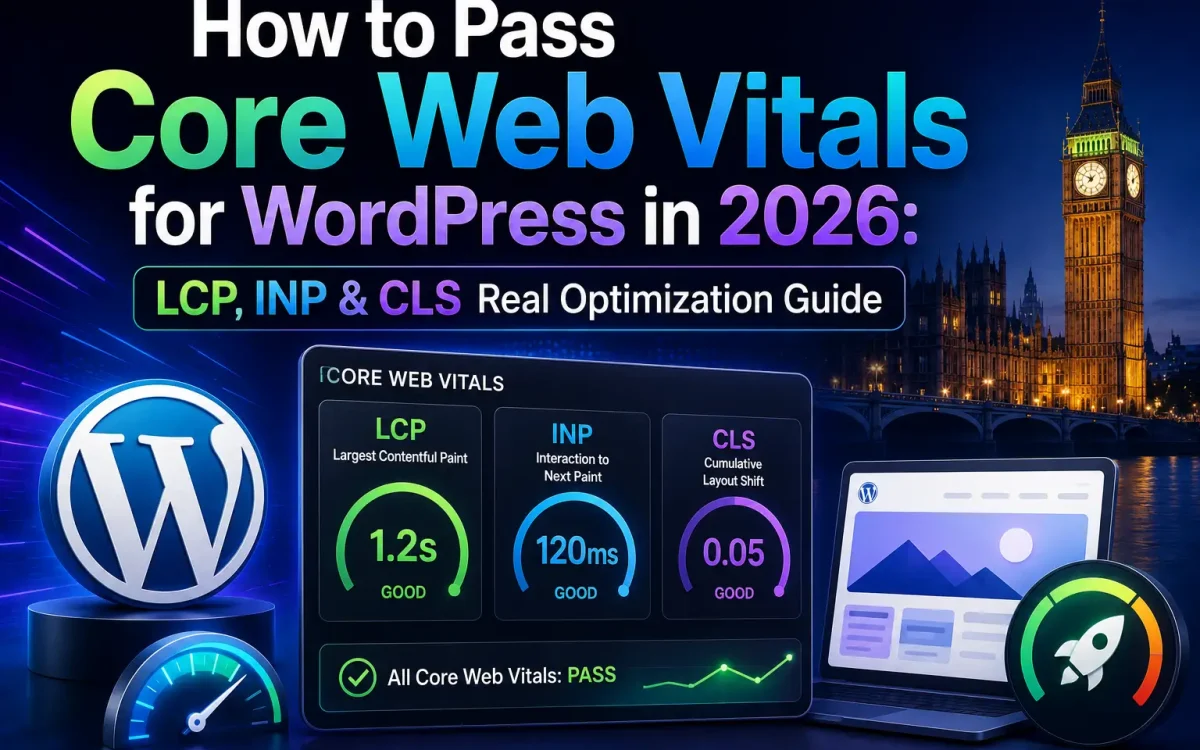
This comprehensive guide explains how to optimize Largest Contentful Paint (LCP), Interaction to Next Paint (INP), and Cumulative Layout Shift (CLS) for WordPress websites hosted in the UK. You’ll also learn how hosting infrastructure, caching, image optimization, databases, and modern web technologies work together to improve Core Web Vitals in 2026.
What Are Core Web Vitals?
Core Web Vitals are Google’s user experience metrics that evaluate how quickly a webpage loads, responds to user interactions, and maintains visual stability.
The three primary metrics are:
- Largest Contentful Paint (LCP)
- Interaction to Next Paint (INP)
- Cumulative Layout Shift (CLS)
Together, they measure the quality of the user experience rather than simply page speed.
Why Core Web Vitals Matter
Good Core Web Vitals improve:
- User experience
- Engagement
- Conversion rates
- Mobile usability
- Customer satisfaction
Poor scores often lead to:
- Higher bounce rates
- Lower conversions
- Slower browsing
- Visitor frustration
For WooCommerce stores, even small improvements can increase completed purchases.
Do Core Web Vitals Affect SEO?
Yes—but indirectly.
Google has confirmed that page experience is one of many ranking signals.
Excellent Core Web Vitals help by:
- Improving usability
- Increasing visitor retention
- Reducing bounce rates
- Supporting faster indexing
Content quality still remains the most important ranking factor.
Understanding Largest Contentful Paint (LCP)
LCP measures how quickly the largest visible element loads.
Examples include:
- Hero image
- Large heading
- Banner
- Featured image
Google recommends:
Good LCP:
Less than 2.5 seconds
Common causes of poor LCP include:
- Slow hosting
- Large images
- Render-blocking CSS
- Slow databases
- Poor caching
How to Improve LCP
Optimize:
- Hero images
- Server response time
- Database performance
- CSS delivery
- Fonts
Use:
- AVIF
- WebP
- Lazy loading (excluding hero images)
Fast hosting dramatically improves LCP.
Understanding INP (Interaction to Next Paint)
INP replaced First Input Delay (FID).
It measures how quickly a webpage responds after a user interacts with:
- Buttons
- Menus
- Forms
- Search boxes
- Navigation
Google recommends:
Less than:
200 milliseconds
Poor INP often results from excessive JavaScript.
How to Improve INP
Reduce:
- Large JavaScript bundles
- Third-party scripts
- Blocking tasks
Optimize:
- Event listeners
- Theme scripts
- Plugin scripts
Modern WordPress optimization focuses heavily on reducing JavaScript execution.
Understanding CLS (Cumulative Layout Shift)
CLS measures unexpected visual movement.
Examples include:
- Images loading without dimensions
- Ads moving content
- Late-loading fonts
- Popups
Google recommends:
CLS below:
0.1
Stable layouts improve user trust.
Fixing CLS
Always:
- Specify image dimensions.
- Reserve ad space.
- Avoid inserting content above existing elements.
- Preload important fonts.
Good layouts remain visually stable during loading.
Measuring Core Web Vitals
Popular tools include:
- Google PageSpeed Insights
- Lighthouse
- Chrome DevTools
- Chrome User Experience Report
Field data is generally more valuable than laboratory testing.
Why Hosting Matters
Fast hosting improves every Core Web Vital.
Hosting affects:
- TTFB
- Database response
- PHP execution
- Static file delivery
Poor hosting limits optimization potential.
Time To First Byte (TTFB)
TTFB measures server responsiveness.
Fast TTFB improves:
- LCP
- Overall loading speed
Factors affecting TTFB include:
- Database
- CPU
- Web server
- PHP
- Network latency
LiteSpeed vs NGINX vs Apache
LiteSpeed typically offers:
- Excellent WordPress performance
- Built-in caching
- Lower server load
NGINX excels for:
- Enterprise scalability
- Reverse proxy deployments
Apache remains highly compatible but generally requires more optimization.
Enable Full-Page Caching
Caching is one of the largest performance improvements.
Options include:
- LiteSpeed Cache
- NGINX FastCGI Cache
- Reverse proxy caching
Cached pages avoid unnecessary PHP execution.
Object Cache
Redis Object Cache reduces database queries.
Benefits include:
- Faster dashboards
- Improved WooCommerce performance
- Reduced database load
Redis is particularly valuable for busy websites.
PHP 8.4 Performance
PHP 8.4 provides:
- Faster execution
- Better memory efficiency
- Improved runtime performance
Updating PHP often improves Core Web Vitals automatically.
Optimize Your Database
Use:
- MariaDB
- MySQL optimization
- Redis
Remove:
- Expired transients
- Revisions
- Unused tables
Healthy databases improve TTFB.
Use NVMe Storage
Modern NVMe drives reduce:
- Database latency
- File access
- Cache generation
Storage speed directly affects page generation.
Optimize Images
Convert:
- JPEG
- PNG
into:
- AVIF
- WebP
Compress images before uploading.
Serve responsive image sizes.
Preload Critical Resources
Preload:
- Hero images
- Fonts
- Critical CSS
Avoid delaying above-the-fold content.
Reduce CSS
Remove:
- Unused CSS
- Duplicate styles
- Unnecessary frameworks
Smaller CSS files improve rendering speed.
Reduce JavaScript
Minimize:
- Tracking scripts
- Sliders
- Animation libraries
- Chat widgets
Heavy JavaScript frequently causes poor INP.
Delay Third-Party Scripts
Examples include:
- Analytics
- Chat widgets
- Marketing platforms
- Social embeds
Load these after essential content.
Optimize Fonts
Recommendations:
- Self-host fonts
- Use WOFF2
- Preload primary fonts
Avoid unnecessary font variations.
Use a CDN
A Content Delivery Network reduces latency by serving static assets from locations closer to visitors.
Benefits include:
- Faster images
- Faster CSS
- Faster JavaScript
Global audiences particularly benefit.
Enable HTTP/3
HTTP/3 improves:
- Mobile performance
- Connection reliability
- Parallel downloads
Modern browsers support HTTP/3 widely.
Reduce Plugins
Every plugin introduces:
- PHP execution
- Database queries
- JavaScript
- CSS
Install only necessary plugins.
Quality is more important than quantity.
Optimize WooCommerce
WooCommerce stores should optimize:
- Product images
- Cart fragments
- Checkout scripts
- Database queries
Commerce websites require additional tuning.
Mobile Optimization
Google primarily evaluates mobile experiences.
Ensure:
- Responsive layouts
- Fast images
- Lightweight themes
Mobile users often represent the majority of traffic.
Monitor Real User Data
Synthetic tests provide useful guidance.
However, Chrome User Experience Report reflects:
- Actual visitors
- Real devices
- Real networks
Prioritize field data whenever possible.
Common Core Web Vitals Mistakes
Avoid:
- Oversized images
- Multiple page builders
- Heavy animations
- Excessive plugins
- Poor hosting
- Shared low-resource servers
Most websites suffer from several of these simultaneously.
Why UK Hosting Improves Performance
For UK audiences:
- Lower latency
- Faster server response
- Better Core Web Vitals
- Improved user experience
Local hosting supports faster real-world performance.
Why UKSpeed Is Optimized for Core Web Vitals
Achieving excellent Core Web Vitals requires more than plugin optimization.
UKSpeed infrastructure combines:
- NVMe storage
- LiteSpeed-compatible hosting
- PHP 8.4
- MariaDB optimization
- Redis Object Cache support
- HTTP/3
- High-performance UK VPS servers
- Low-latency UK networking
Together, these technologies create an ideal foundation for fast WordPress websites capable of achieving excellent Core Web Vitals scores.
Core Web Vitals Checklist
Before launching your website, verify:
- Images optimized
- AVIF/WebP enabled
- Full-page caching active
- Redis configured
- PHP 8.4 installed
- Database optimized
- HTTP/3 enabled
- CDN configured
- Fonts optimized
- JavaScript minimized
- CSS optimized
- Core Web Vitals tested
Completing this checklist significantly increases the likelihood of passing Google’s performance metrics.
Future of Core Web Vitals
Google continues improving user experience metrics.
Future optimization trends include:
- AI-powered performance tuning
- Smarter image delivery
- Edge computing
- Automated caching
- Predictive resource loading
Performance optimization will remain a fundamental aspect of technical SEO.
Conclusion
Passing Core Web Vitals in 2026 requires a holistic approach that combines modern hosting, efficient databases, optimized images, intelligent caching, lightweight themes, and clean code. Focusing only on plugins or PageSpeed scores is no longer sufficient.
For WordPress websites targeting UK audiences, combining LiteSpeed, PHP 8.4, MariaDB, Redis Object Cache, AVIF/WebP images, HTTP/3, NVMe storage, and high-performance UK hosting provides an excellent foundation for achieving fast loading times, responsive interactions, stable layouts, stronger SEO performance, and a superior user experience.
Further Reading
For an authoritative reference on this topic, see WordPress.org — Optimization Documentation.
Looking for fast, secure hosting?
Visit UK Speed for cloud servers, VPS NVMe, and dedicated hosting tailored for performance.