Introduction
Website backups are the last line of defense against cyberattacks, ransomware, hardware failures, accidental deletions, software corruption, failed WordPress updates, and human error. Despite this, thousands of businesses still rely on a single backup stored on the same hosting server—a strategy that often fails when disaster strikes.
For WordPress websites, WooCommerce stores, and business portals, losing customer data, orders, media files, or databases can result in significant financial losses, SEO damage, and reputational harm.
In 2026, modern backup strategies are built around one proven principle: the 3-2-1 Backup Rule. Combined with professional backup tools such as Restic, BorgBackup, and secure off-site storage, this approach provides resilience against almost every type of data loss.
This comprehensive guide explains how to implement the 3-2-1 Backup Rule for WordPress websites hosted in the UK, compare Restic and BorgBackup, configure off-site storage, and build a disaster recovery strategy that protects both your website and your business.
Why Backups Matter More Than Ever
Modern WordPress websites face increasing risks:
- Ransomware attacks
- Plugin vulnerabilities
- Server failures
- Human mistakes
- Malware infections
- Database corruption
- Hardware failures
- Accidental deletions
Without reliable backups, recovery may be impossible.
For WooCommerce stores, even a few hours of lost data can mean lost revenue, customer complaints, and damaged trust.
What Is the 3-2-1 Backup Rule?
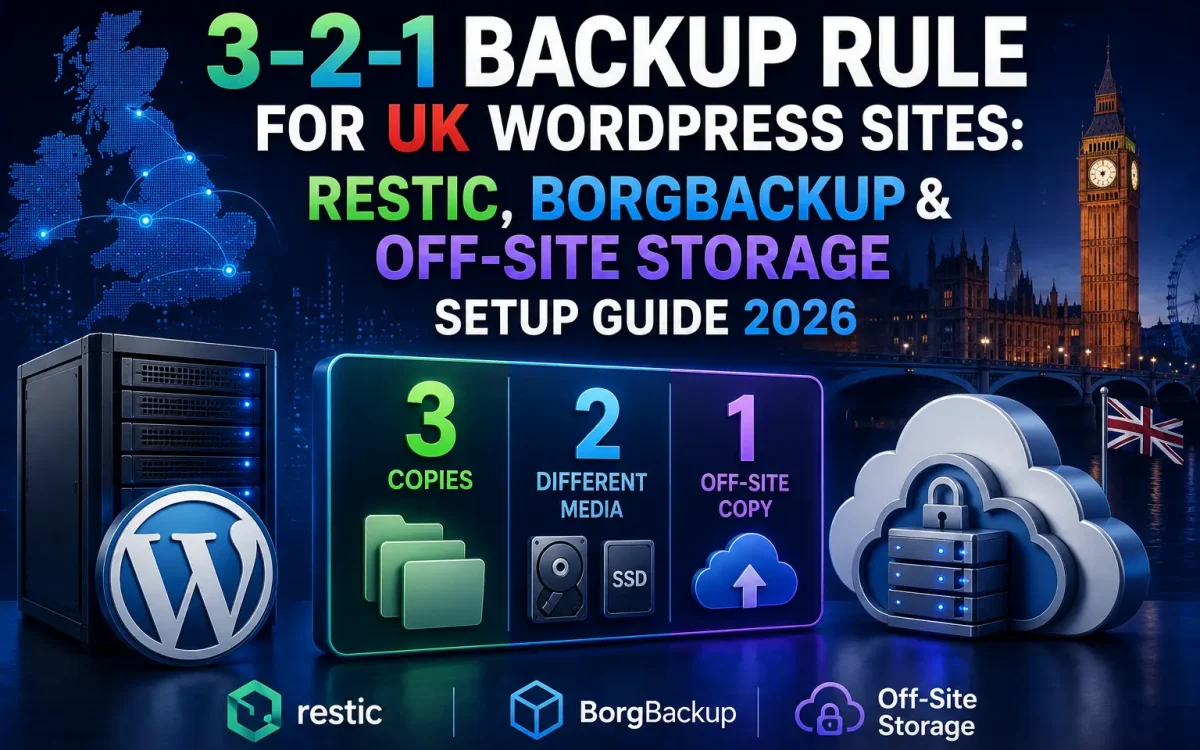
The 3-2-1 Backup Rule is considered the gold standard for data protection.
It requires:
- 3 copies of your data
- 2 different storage media
- 1 off-site backup
This strategy minimizes the risk of losing all copies simultaneously.
Why the 3-2-1 Rule Works
Many disasters affect only one location.
Examples include:
- Disk failures
- Hosting outages
- Data center incidents
- Malware attacks
If backups exist only on the same server, they may be lost together with the website.
Off-site backups eliminate this risk.
Understanding Backup Types
A complete WordPress backup usually includes:
- Website files
- MySQL or MariaDB database
- Media uploads
- Themes
- Plugins
- Configuration files
- SSL certificates
- Email configuration (if self-hosted)
Every component is essential for full recovery.
Full vs Incremental Backups
Full Backup
Advantages:
- Complete snapshot
- Simple restoration
Disadvantages:
- Large storage requirements
- Longer backup times
Incremental Backup
Advantages:
- Smaller backups
- Faster execution
- Reduced bandwidth usage
Most enterprise backup systems rely on incremental backups.
What Is Restic?
Restic is an open-source backup solution designed for modern infrastructure.
Key features include:
- End-to-end encryption
- Deduplication
- Incremental backups
- Cross-platform support
- Snapshot management
- Cloud storage integration
Restic is widely used for VPS servers and cloud environments.
Restic Advantages
Benefits include:
- Fast backups
- Encrypted repositories
- Low storage consumption
- Multiple cloud destinations
- Simple recovery
Its flexibility makes it ideal for WordPress environments.
Installing Restic
Ubuntu installation:
sudo apt install restic
Initialize a repository:
restic init
Once initialized, backups can begin immediately.
Creating Your First Restic Backup
Example:
restic backup /var/www/html
You can also include databases after exporting them.
Automating this process ensures regular protection.
What Is BorgBackup?
BorgBackup (Borg) is another enterprise-grade backup solution.
It focuses on:
- Deduplication
- Compression
- Encryption
- Efficient storage
Borg is particularly effective for Linux servers with frequent backups.
BorgBackup Advantages
Borg offers:
- Extremely efficient deduplication
- Fast incremental backups
- Low storage consumption
- Secure encryption
- Reliable restore operations
Many system administrators prefer Borg for Linux infrastructure.
Installing BorgBackup
Ubuntu installation:
sudo apt install borgbackup
Initialize the repository:
borg init --encryption=repokey repository
The repository is now ready for backups.
Restic vs BorgBackup
| Feature | Restic | BorgBackup |
|---|---|---|
| Encryption | Excellent | Excellent |
| Deduplication | Excellent | Excellent |
| Cloud Storage | Excellent | Good |
| Compression | Good | Excellent |
| Ease of Use | Excellent | Very Good |
| Cross Platform | Excellent | Linux Focused |
| Automation | Excellent | Excellent |
Both tools are outstanding choices for WordPress backups.
Choosing Between Restic and BorgBackup
Choose Restic if you need:
- Cloud-native backups
- Cross-platform support
- Multiple storage providers
- Simple configuration
Choose BorgBackup if you prioritize:
- Maximum storage efficiency
- Linux-only infrastructure
- High-frequency backups
Off-Site Storage Explained
An off-site backup is stored outside your primary hosting server.
Popular destinations include:
- Object Storage
- Secondary VPS
- Dedicated backup server
- NAS
- Remote Linux server
Off-site storage protects against complete infrastructure failures.
Why Off-Site Storage Is Essential
If your hosting server experiences:
- Hardware failure
- Fire
- Data corruption
- Ransomware
Local backups may become unusable.
Off-site copies remain available.
Encrypting Backup Data
Backups frequently contain:
- Customer information
- Databases
- Password hashes
- Media files
Always encrypt backup repositories before storing them remotely.
Encryption protects sensitive business data.
WordPress Backup Components
An effective WordPress backup includes:
Website Files
- Themes
- Plugins
- Uploads
- Configuration
Database
- Posts
- Pages
- Users
- WooCommerce orders
- Settings
Both components are required for complete restoration.
WooCommerce Backup Strategy
WooCommerce stores generate data continuously.
Protect:
- Orders
- Products
- Customer accounts
- Payment logs
- Coupons
Frequent backups are strongly recommended.
Backup Scheduling
Recommended schedule:
Daily:
- Database backups
Weekly:
- Full website backups
Monthly:
- Archive snapshots
Critical eCommerce stores may require hourly database backups.
Automating Backups
Linux cron jobs simplify automation.
Example:
0 2 * * * restic backup /var/www/html
Automation reduces human error.
Testing Restores
Backups are only valuable if they can be restored.
Regularly test:
- Database recovery
- File restoration
- Complete server recovery
Verification prevents unpleasant surprises during emergencies.
Backup Retention Policies
Maintain multiple generations.
Example:
- Daily backups for 14 days
- Weekly backups for 8 weeks
- Monthly backups for 12 months
Retention policies balance recovery flexibility with storage costs.
Disaster Recovery Planning
A disaster recovery plan should document:
- Backup locations
- Recovery procedures
- Server rebuild process
- DNS updates
- Restoration priorities
Preparation reduces downtime.
Common Backup Mistakes
Avoid:
- Keeping only one backup
- Storing backups on the same server
- Never testing restores
- Ignoring database backups
- Leaving backups unencrypted
These mistakes often lead to permanent data loss.
Why NVMe Storage Helps Backup Operations
Fast NVMe storage improves:
- Backup creation
- Snapshot generation
- Compression
- Restoration speed
Large WordPress websites particularly benefit.
VPS vs Shared Hosting for Backups
VPS environments provide:
- Full SSH access
- Cron scheduling
- Custom backup software
- Greater flexibility
Shared hosting often restricts backup options.
Why UK Hosting Improves Backup Performance
For UK businesses:
- Lower latency
- Faster backup transfers
- Better disaster recovery planning
- Local infrastructure
Regional hosting simplifies backup management.
Why UKSpeed Supports Enterprise Backup Strategies
Reliable backups require reliable infrastructure.
UKSpeed provides:
- High-performance UK VPS hosting
- NVMe storage
- Dedicated backup destinations
- Secure networking
- High availability
- Off-site storage compatibility
Combined with Restic, BorgBackup, and encrypted off-site storage, UKSpeed infrastructure helps businesses build resilient WordPress backup systems capable of meeting modern disaster recovery requirements.
Backup Security Best Practices
Always:
- Encrypt backups
- Restrict access
- Rotate credentials
- Monitor backup jobs
- Test restores
- Store backups in multiple locations
Security should extend to backup infrastructure as well.
Future Trends in Backup Technology
Modern backup platforms increasingly incorporate:
- Immutable backups
- AI anomaly detection
- Continuous backup
- Object storage optimization
- Automated disaster recovery
These technologies improve resilience against ransomware and operational failures.
Final Backup Checklist
Before considering your backup strategy complete, verify:
- Three copies exist.
- Two storage media are used.
- One copy is off-site.
- Encryption is enabled.
- Backups run automatically.
- Recovery has been tested.
- Monitoring is active.
Following this checklist dramatically improves your ability to recover from unexpected incidents.
Conclusion
The 3-2-1 Backup Rule remains the most reliable strategy for protecting WordPress websites in 2026. By combining multiple backup copies, different storage media, and secure off-site storage, businesses can dramatically reduce the risk of permanent data loss.
Tools such as Restic and BorgBackup provide enterprise-grade encryption, deduplication, and automation, making them ideal for modern WordPress hosting environments. When paired with high-performance UK infrastructure, NVMe storage, and reliable off-site backup destinations, they create a robust disaster recovery solution capable of protecting business-critical websites, WooCommerce stores, and customer data against almost any failure scenario.
Further Reading
For an authoritative reference on this topic, see WordPress.org — Optimization Documentation.
Looking for fast, secure hosting?
Visit UK Speed for cloud servers, VPS NVMe, and dedicated hosting tailored for performance.